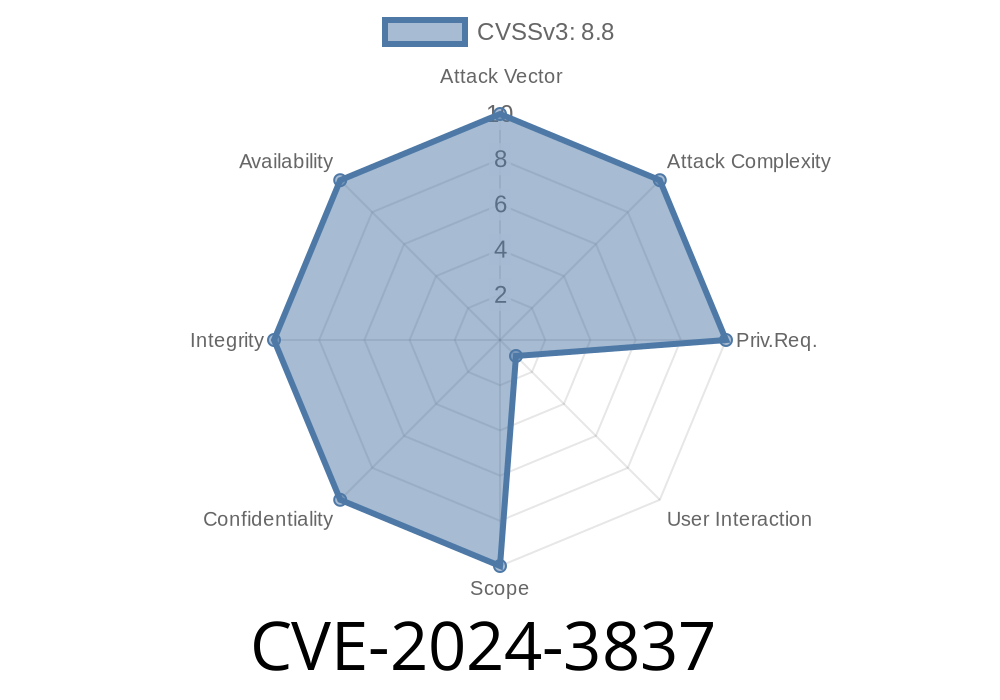
A recent security vulnerability, tracked as CVE-2024-3837, was patched in Google Chrome prior to version 124..6367.60. This bug relates to a Use-After-Free (UAF) condition within the QUIC networking protocol—specifically, in how Chrome handles QUIC connections from web content. In this post, we’ll break down what CVE-2024-3837 is, how an attacker could exploit it, show a simple code example for better understanding, provide original references, and explain the real-world risks.
What Is a Use-After-Free Vulnerability?
A Use-After-Free (UAF) vulnerability happens when a program uses memory after it's been released (“freed”). Attackers can take advantage of this by manipulating that memory area to execute malicious code, crash the browser, or even escape the restricted sandbox.
What Is QUIC and Why Does It Matter in Chrome?
QUIC is a modern, fast transport protocol built by Google. It underpins a lot of HTTP/3 connections, making web browsing faster and more secure. But bugs in these low-level protocols can be devastating when exposed through browsers like Chrome.
Versions Affected: All Chrome releases before 124..6367.60
- Summary: A malicious web page, when loaded in Chrome, could exploit a Use-After-Free in QUIC if they have already compromised the renderer process. This could lead to heap corruption—possibly code execution or browser crash.
- Impact: Allows an attacker who has broken out of the renderer sandbox (typical in browser exploits) to further exploit Chrome and gain more power over the system.
Step 1: Renderer Compromise
- The attacker tricks you into opening a malicious HTML page, using a different bug (like a JavaScript or rendering bug) to escape the sandbox.
Step 2: Trigger the UAF
- The attacker crafts network requests that trigger the QUIC UAF bug—possibly by establishing many simultaneous or malformed QUIC connections, or by forcing Chrome to reuse freed memory.
Step 3: Heap Corruption
- If successful, the attacker can corrupt the heap, potentially gaining code execution inside the browser’s network process, bypassing more security controls.
Example Code: Simulating a Use-After-Free in C++
This is a simplified code snippet to demonstrate what a UAF bug might look like behind the scenes. This is NOT the real Chrome code, but helps explain the concept:
class QuicConnection {
public:
    void sendPacket();
    // ...
};

void handleNetworkRequest(bool freeFirst) {
    QuicConnection* connection = new QuicConnection();
    if (freeFirst) {
        delete connection;         // Object is deleted
    }
    connection->sendPacket();      // Use after free if freeFirst is true!
}
Attackers find ways to force this logic by manipulating how Chrome handles QUIC objects for their own gain. The real bug in the fix commit is much more complex, but the idea is the same.
Proof Of Concept (PoC) - What An Attacker Might Do
While no full public PoC is available at writing, here’s a high-level pseudocode example of how an attacker might approach exploitation from a compromised renderer:
// Step 1: Exploit sandbox escape (not shown here)

// Step 2: Repeatedly trigger creation/deletion of many QUIC sessions
for (let i = ; i < 100000; i++) {
    // Open WebTransport/QUIC connections
    let wt = new WebTransport("https://victim.example.com:4433";);
    // Manipulate timing or state to trigger UAF
    wt.close(); // Try to free memory before it's used by network stack
}

// Step 3: Spray heap to control memory
// (This would be real exploit territory -- attackers would try to land shellcode)
Original References
- Chromium Bug 326281770 (protected, may require permission)
- Chromium Security Release Notes for 124..6367.60
- Patch Commit to Fix
Use Site Isolation: Keep malicious web pages isolated to lower risk of renderer compromise.
- Stay Informed: Watch the Chrome Releases Blog for new security patches.
Conclusion
CVE-2024-3837 is a medium-severity but technically serious bug, since a renderer compromise is an important stepping stone for browser attackers. Google responded quickly, but this incident reminds us that even cutting-edge protocols like QUIC can have old-school memory safety problems.
If you’re a developer, keep an eye out for UAF bugs, and if you’re a user, always keep your browser up-to-date. As always, simple HTML pages can hide powerful attacks—so be careful with what you open, and keep your security hygiene tight.
Timeline
Published on: 04/17/2024 08:15:10 UTC
Last modified on: 05/03/2024 03:16:29 UTC