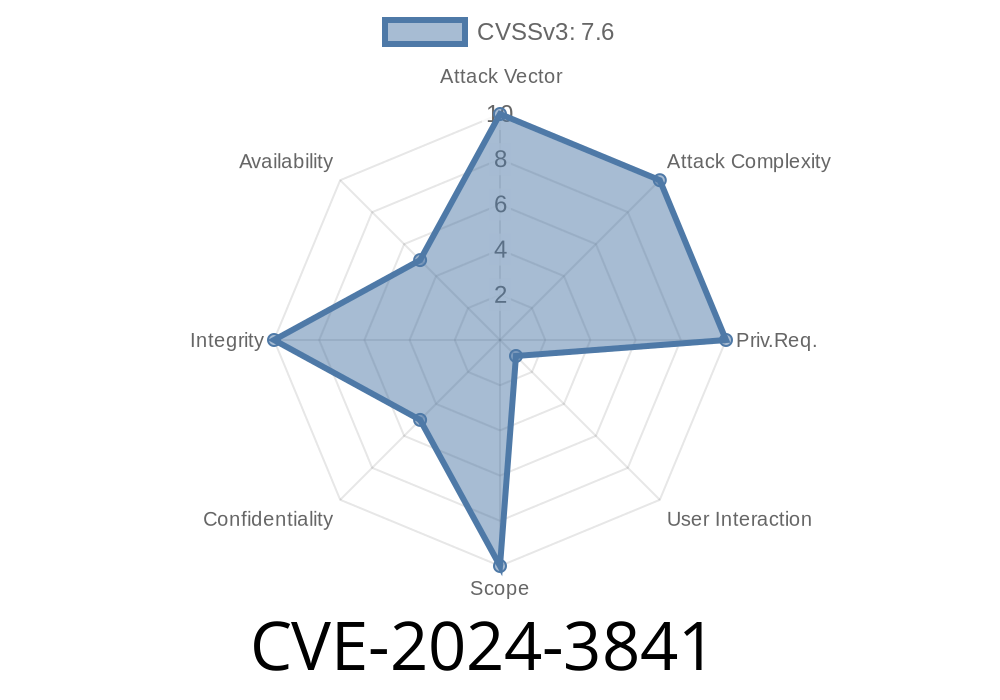
Published: June 2024
Severity: Medium
Original References:
- Chromium Security Advisory
- CVE Details Page
Introduction
In April 2024, Google’s Chrome browser patched a security bug known as CVE-2024-3841, affecting versions before 124..6367.60. This vulnerability lives within Chrome’s _Browser Switcher_ component, a feature that lets companies control which sites open in Chrome and which open in other browsers.
Due to insufficient input validation, hackers could abuse this feature by tricking Chrome into injecting script or HTML into privileged pages—just by luring users to download or open a specially-crafted file. This post dives into how this vulnerability worked, how it could be abused, and how you can protect yourself.
What Was the Problem?
When Chrome’s Browser Switcher processed certain files, it didn’t do a careful enough job of checking what was inside. That means if a hacker sent you a _malicious configuration file_—like an XML or JSON file—that you loaded into Chrome (often as part of using browser-switcher extensions or enterprise configs), Chrome could accidentally "trust" and run bits of code or script in places it should not.
Simply put:
Any attacker who could convince a user to open a trap file could get Chrome to inject code into a trusted browser page.
Let’s see an example, in simple language.
> DISCLAIMER: This is a demonstration for educational purposes only. Hacking is illegal if you do not have permission.
An attacker creates a file, say malicious_switcher.xml, with a payload like
<rules>
  <rule>
    <pattern>*</pattern>
    <redirect>
      <![CDATA[
        <script>
           alert('Gotcha! This Chrome page is now running evil code!');
           // Exfiltrate cookies or perform more serious attacks here
        </script>
      ]]>
    </redirect>
  </rule>
</rules>
2. Sending the File
The attacker tricks the victim into using this file in their Chrome Browser Switcher configuration (common in managed enterprise environments, or via a phishing email claiming to be an updated config).
3. Chrome’s Mistake
Before version 124..6367.60, Chrome does not properly validate the contents. When the Browser Switcher module processes the file, it injects the raw contents into a privileged UI page.
4. Code Execution
As a result, when the Browser Switcher displays its interface or error messages, the injected script runs with the privileges of that page (e.g., reading page content, cookies, or doing further attacks).
In Pseudo-JavaScript
// Vulnerable code (simplified for clarity)
function loadRules(xmlFile) {
  let raw = readFile(xmlFile);
  document.getElementById('configPanel').innerHTML = raw; // BAD! Direct injection
}
Fixed version (simplified)
function loadRules(xmlFile) {
  let raw = readFile(xmlFile);
  document.getElementById('configPanel').textContent = raw; // SAFE! No HTML parsed
}
Real-world Impact
- Risk Level: Attackers cannot exploit this directly over the web, but any system where users are directed to open or import files—especially in managed workplaces or BYOD situations—is at risk.
- Data Exposed: Anything the privileged Chrome page can see (messages, cookies, sometimes browser-controlled credentials).
- Severity: Medium—because user interaction is required. But it’s a very effective phishing avenue for determined hackers.
How Did Google Fix It?
In Chrome 124..6367.60 and beyond, Google added _proper data validation_. The updated Browser Switcher now:
Rejects files with suspect payloads.
> From Google’s Security Bulletin:
> _“Insufficient data validation in Browser Switcher in Google Chrome prior to 124..6367.60 allowed a remote attacker to inject scripts or HTML into a privileged page via a malicious file...”_
What Should You Do?
1. Update Chrome: Always run the latest version! Go to _Menu > Help > About Google Chrome_ to update.
2. Don’t trust config files: Don’t open or import files from unknown sources, even if they seem related to work.
3. Admins: Audit policies: If you use Browser Switcher extensions or policies, verify all imported files and consider securing them behind strict permissions.
Learn More
- Chromium Security Page
- CVE-2024-3841 Details
Wrap-up
CVE-2024-3841 shows how even a single unchecked line of data can lead to a real security mess—especially in widely used software like Chrome. While this bug was patched quickly, it’s a reminder: treat every input as potentially hostile, _especially in configuration files_.
If you’re an admin, keep those updates rolling, and if you’re a user, stay sharp—don’t import files in Chrome unless you trust the source.
Timeline
Published on: 04/17/2024 08:15:10 UTC
Last modified on: 07/03/2024 02:06:40 UTC