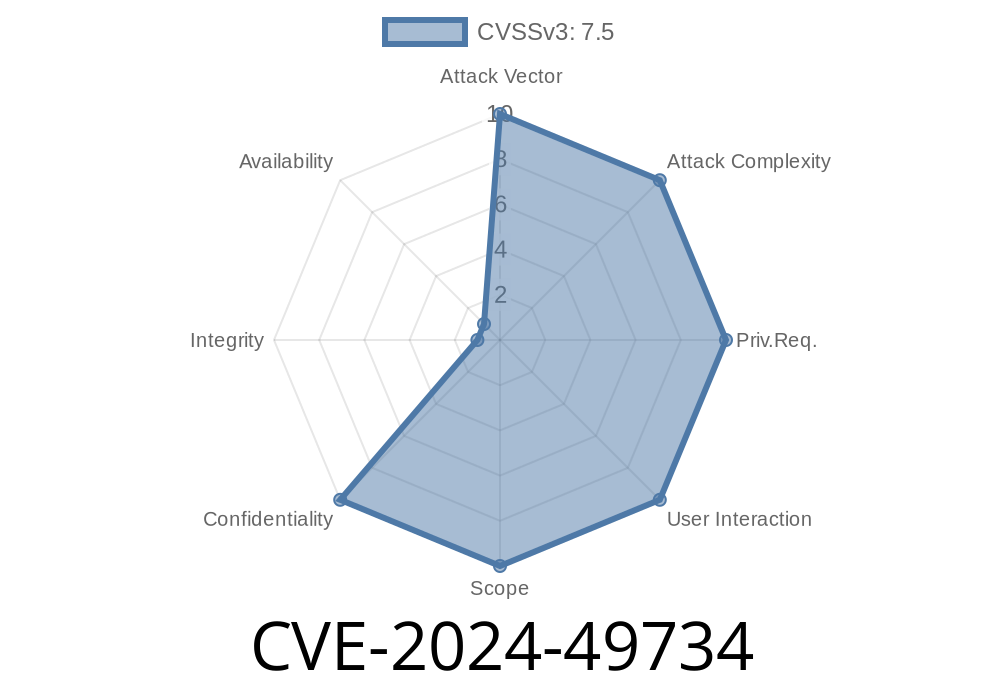
A newly disclosed Android vulnerability, CVE-2024-49734, is raising concerns for privacy advocates and VPN users. The issue lives in Android's ConnectivityService.java and enables any Wi-Fi access point (AP) you join to infer what websites you visit—even when you’re using a VPN. All it takes is a clever AP, and you don’t need to click or do anything to get pwned. Let’s dive in, see how this works, and why this bug matters.
Where’s the Bug?
ConnectivityService.java is the Android core service that manages all your device’s network connections. Several of its functions leak subtle side-channel information about your VPN status and which network flows your device is opening.
Attackers can exploit this to correlate your activity to real web destinations—even when your VPN is on!
Here's a simplified version of how the bug lives in the code
// In ConnectivityService.java (simplified example, not actual code):

public NetworkRequest requestNetwork(NetworkCapabilities networkCapabilities, ...) {
    // Some logic...
    if (networkCapabilities.hasTransport(TRANSPORT_VPN)) {
        // Handles VPN...
        // But some debug/broadcast/log/notification code here leaks
        // connection timings, identifiers, or triggers DNS events
        sendNetworkBroadcast(networkCapabilities);
    }
    // more code ...
}
Functions that deal with new VPN connections or system broadcasts can inadvertently leak information about timing and metadata. If the AP is watching closely, it can correlate these leaks with DNS lookups, encrypted tunnel connections, or Android network handshakes.
How Attack Works: A Simple Step-By-Step
1. You join a Wi-Fi AP—say, at a cafe.
The AP monitors all device traffic, but everything is supposedly protected by your VPN.
2. You browse to a website in your browser app.
Normally, only your VPN server “should” know what you’re doing, and the Wi-Fi AP should see only an encrypted tunnel.
3. Side-channel signals leak.
Because of gaps in how Android broadcasts connectivity or initiates DNS queries through the VPN interface, events can “bleed” out. The AP sees timing and metadata (when you connect, DNS pattern, packet sizes, etc).
4. The AP correlates what it saw.
Clever software on the AP cross-references Android’s leaked side-channel cues with your encrypted traffic, DNS patterns, or fingerprintable behaviors.
Result: The AP guesses, often quite accurately, which site you just connected to—even though the actual content never left the VPN tunnel.
Why No User Interaction Is Needed
No popups, no clicks, no permissions. The exploit works simply because the user is connected to a hostile Wi-Fi and the OS leaks information at the system level. You don’t have to install anything or manually click anything for the AP to run the attack.
Real-World Risks
- Privacy breaches: Journalists, activists, or travelers using VPNs in untrusted locations may be exposed.
- Corporate network espionage: Employees on public Wi-Fi may be profiled through their private site access.
- General web tracking: Advertisers or stalkers could abuse open Wi-Fi hotspots for mass tracking campaigns.
Proof-of-Concept (PoC): How an AP Can Spy
Suppose the AP is running Linux, using tcpdump and tracking all network flows. With CVE-2024-49734, it watches for patterns in Android’s VPN setup:
# Sniff timing and addresses of Android VPN packets:
sudo tcpdump -i wlan host <Android-device-IP> and port 443

# In a script:
while read packet; do
  # Extract time, packet size, interval before/after known VPN connection events
  # Correlate with known Android connectivity events
done < <(tcpdump -l -n -i wlan ...)

# Cross-reference with DNS or public site fingerprinting data.
Attackers can even automate matching timing signatures to a list of popular websites.
References and Further Reading
- NIST NVD entry for CVE-2024-49734
- Android security bulletin
- Mitre CVE database
- Android source: ConnectivityService.java
Mitigation & Fix
Google will likely patch this in the next Android security update by restricting or masking system broadcasts, tightening VPN handling, and closing unnecessary notification or side-channel leaks. Meanwhile, be wary of shady Wi-Fi hotspots—even when your VPN is active.
Bottom Line
CVE-2024-49734 shows how side-channels can bust your privacy, even if you do everything “right” as a user. The wall between a VPN and the local Wi-Fi isn’t as thick as we hope. Stay patched, stay alert, and keep an eye on Android security updates.
Got thoughts or a question?
Drop a comment or ping me on Twitter (anonymously!) if you want to talk about mobile privacy or side-channel bugs.
Timeline
Published on: 01/21/2025 23:15:14 UTC
Last modified on: 03/24/2025 17:15:19 UTC