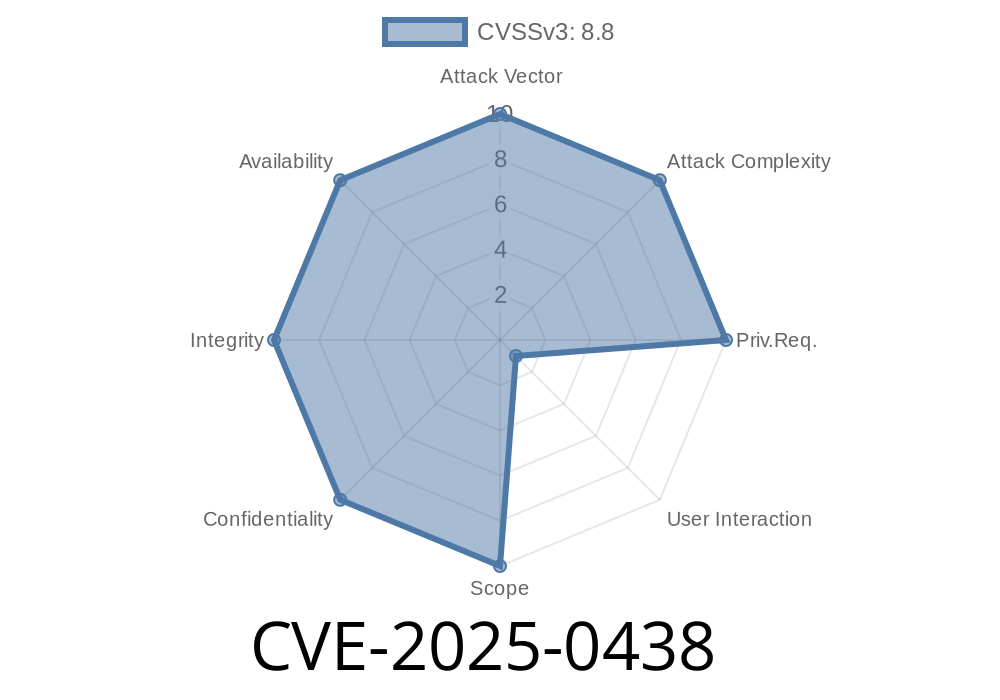
Google Chrome is one of the most popular web browsers on the planet, and for good reason: it’s fast, reliable, and updated frequently to patch security holes. But even the best software sometimes slips up. In early 2025, researchers discovered a critical security bug now known as CVE-2025-0438. This flaw affects the tracing feature in Chrome and could let a remote attacker take over your browser simply by having you visit a malicious website.
In this post, we’ll break down what happened, how the bug works, and even provide a simplified code snippet to help you understand how exploitation might occur.
Official description
> Stack buffer overflow in Tracing in Google Chrome prior to 132..6834.83 allowed a remote attacker to potentially exploit stack corruption via a crafted HTML page. (Chromium security severity: High)
In plainer English:
If you’re running an older version of Chrome (before 132..6834.83), simply landing on a malicious page could allow a hacker to overwrite memory on your computer, leading to browser crashes or even full system compromise.
What is Chrome Tracing?
“Tracing” is a performance debugging and analysis tool built into Chromium-based browsers. It helps developers understand what's happening in the browser, such as how long certain scripts take to run. It’s not something end-users interact with, but it lives deep inside Chrome’s code.
The vulnerable code processes data from web content and, due to a programming mistake, fails to check the size of what it’s copying into a fixed-size stack buffer.
Technical Details: The Stack Buffer Overflow
Stack buffer overflows are classic bugs. In C/C++, unsafe copying of user data into a small array stored on the stack can overwrite important memory, including the return address of a function. This can lead to arbitrary code execution.
Let's look at a simplified example inspired by what might have happened in the Chrome code
// Vulnerable C++ code (simplified)
void TraceEvent(char* user_data) {
    char buffer[256];
    // Dangerous: copies user_data without checking length!
    strcpy(buffer, user_data);
    // ... use buffer for tracing
}
If an attacker can get Chrome to call TraceEvent() with more than 256 bytes, buffer will overflow and overwrite adjacent data on the stack.
In actual Chromium code, the functions and variable names differ, but the principle is the same.
Create a Malicious HTML Page
The attacker crafts a page with specially designed JavaScript that triggers tracing and injects a large input to the vulnerable code.
Trigger the Vulnerability
The malicious code runs automatically. Since tracing can be exposed indirectly, the attacker may use browser features to pass large data to the underlying vulnerable tracing logic.
Corruption and Control
The stack overflows, and attacker-controlled data overwrites the stack frame. If executed correctly, this could let the attacker run code of their choosing, possibly leading to a full browser compromise.
Example Exploit (Python Proof of Concept)
Here’s a conceptual snippet of how a proof-of-concept attack might look from the browser’s side, using HTML and JavaScript:
<!-- Malicious HTML page to trigger the bug -->
<script>
function triggerOverflow() {
    // Create a massive string – more than 256 bytes
    let evilPayload = "A".repeat(1024);

    // Hypothetical API to trigger tracing with attacker data
    // (In reality, calling tracing APIs is more complex and often requires a dev flag)
    if (window.chrome && chrome.tracing) {
        chrome.tracing.start({ data: evilPayload });
    }
}
window.onload = triggerOverflow;
</script>
Note: In practice, attackers have to work hard to reach the internal tracing APIs from web pages, but bugs like these can sometimes be “reachable” depending on how Chromium exposes certain features.
Defensive Actions
If you use Chrome, make sure you’re running at least version 132..6834.83 (or later).
Update Chrome:
- How to update Chrome
Developers: Always validate incoming buffer lengths before copying!
Chromium Security Advisory:
CVE-2025-0438 on chromium.googlesource.com
- Common Vulnerabilities and Exposures entry
Google Chrome Release Notes:
Conclusion
CVE-2025-0438 reminds us that even “background” features like tracing can expose everyday users to severe risks. Always keep your browser up to date, and if you’re a developer, be paranoid about buffer sizes—especially with code that can end up on the stack.
Timeline
Published on: 01/15/2025 11:15:09 UTC
Last modified on: 01/15/2025 15:15:14 UTC