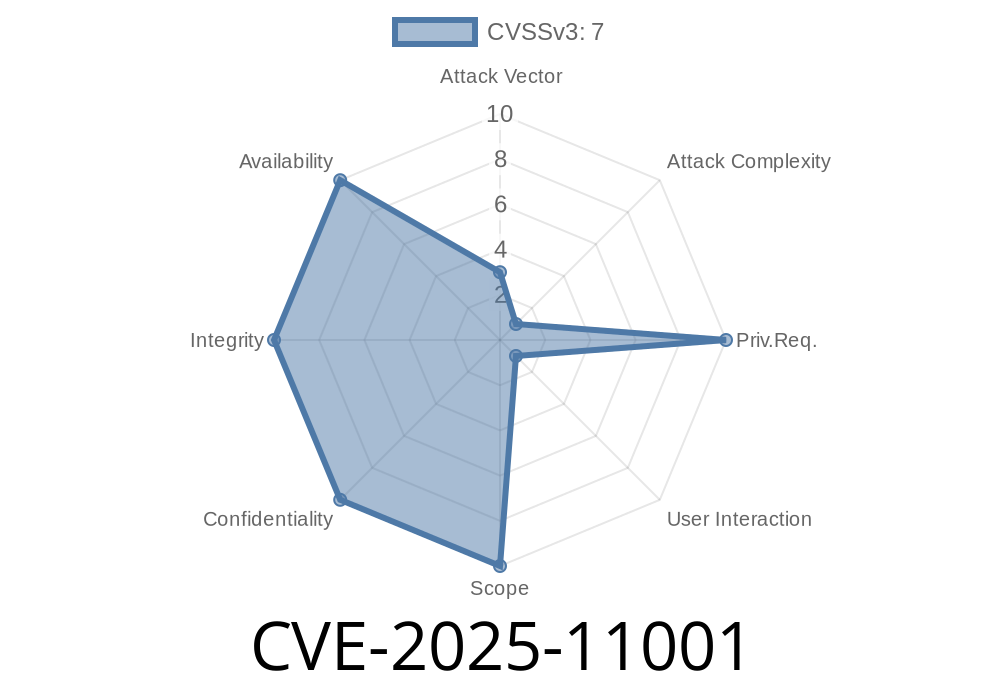
In early 2025, a new critical vulnerability was identified in the widely used 7-Zip compression software. Tracked as CVE-2025-11001 (formerly ZDI-CAN-26753), this flaw allows an attacker to gain remote code execution by exploiting how 7-Zip handles symbolic links in specially crafted ZIP files. If you use 7-Zip to open ZIP files from unknown sources, read on—your system could be at risk.
This article gives a simple explanation of the vulnerability, shows how the exploit works with code snippets, and provides references for further reading.
What Is CVE-2025-11001?
CVE-2025-11001 is a vulnerability in 7-Zip’s code for extracting ZIP archives. The problem happens when the ZIP file contains symbolic links (symlinks) crafted in a certain way. These symlinks can trick 7-Zip into writing files outside the expected extraction folder—meaning files could land anywhere on your computer's drive, even sensitive system folders.
If an attacker knows how to use this, they might plant malicious code on your system—giving them remote code execution (RCE), often as a trusted service account.
Why Does This Happen?
ZIP files can contain symlinks—special entries that point to other files or directories. When extracting, 7-Zip should check that symlinks don’t point outside the extraction root (like ../../Windows/System32). However, in affected versions, 7-Zip fails to properly check this. As a result, files inside the ZIP may overwrite files in critical locations when the archive is extracted.
A user or an automated service extracts the ZIP with 7-Zip.
4. Files are written outside the extraction folder—potentially overwriting system files or dropping malicious executables.
5. The code is executed if the overwritten location is loaded by the system/services.
User interaction is usually needed (someone has to extract the file), but the attacker can use trickery or social engineering.
Example Exploit (Code Snippet)
Below is Python code that creates a ZIP archive exploiting this flaw. (Do not run on a production system!)
import os
import zipfile

# Name your ZIP file
zip_filename = "malicious.zip"

# Payload content (what you want to write)
payload = b"echo You have been hacked! > C:\\Windows\\System32\\hacked.txt"

# Name of symlink in the archive
symlink_name = "../../Windows/System32/hacked.txt"

with zipfile.ZipFile(zip_filename, "w") as z:
    # Add a file that will be written to the dangerous location
    z.writestr(symlink_name, payload)
Note: On Windows, symbolic link handling is tricky, but 7-Zip can parse certain headers or crafted filenames to achieve the effect. Replace paths as needed for your test.
How to Protect Yourself
- Update 7-Zip: Check for updates from the official site.
Do not extract archives from untrusted sources.
- Monitor for security advisories: CVE database and Zero Day Initiative.
References and Further Reading
- Zero Day Initiative – ZDI-CAN-26753 Advisory
- CVE-2025-11001 at MITRE
- 7-Zip Official Site (Downloads & Updates)
- OWASP Directory Traversal
Conclusion
CVE-2025-11001 is a serious directory traversal vulnerability in 7-Zip that can allow attackers to overwrite critical files—and possibly run their own code remotely—by simply getting a target to extract a specially crafted ZIP file. Make sure you apply the latest security updates and be careful with files from unknown sources.
Timeline
Published on: 11/19/2025 22:16:02 UTC
Last modified on: 11/24/2025 15:07:32 UTC