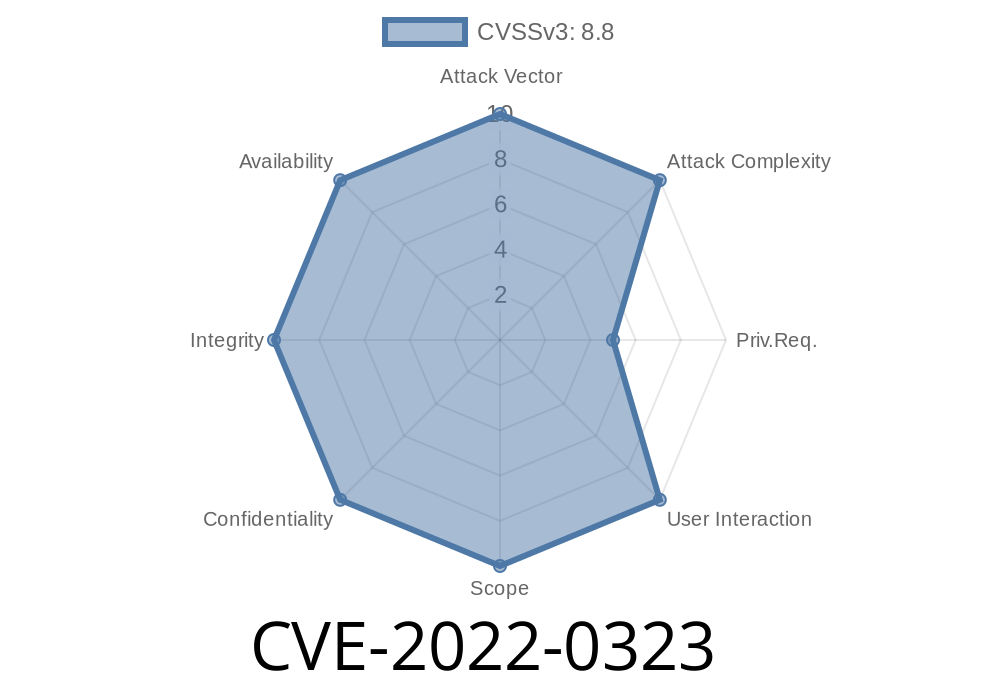
In January 2022, a security vulnerability—now identified as CVE-2022-0323—was discovered in the popular PHP template engine, mustache/mustache. This vulnerability, rated as “Improper Neutralization of Special Elements Used in a Template Engine,” has significant implications for any application using mustache/mustache prior to version 2.14.1. In this post, we’ll break down what happened, show you code snippets, explain how the flaw can be exploited, and guide you to stay safe.
What is Mustache?
Mustache is a logic-less template engine used in applications to separate data from presentation. In PHP, it’s available via Packagist and is widely adopted. For example, you might use Mustache to produce safe HTML output, filling templates with user data.
What does that mean?
CVE-2022-0323 refers to the improper handling of certain special characters—like <, >, &, ", and '—inside templates. If these aren’t correctly escaped, attackers can inject malicious content (like scripts), opening paths for Cross-Site Scripting (XSS) or other code injection attacks.
The root issue: mustache/mustache, prior to version 2.14.1, failed to neutralize these special elements in some cases.
Example: Before the Patch
Imagine you let users write messages, and you want to display these on your site using Mustache. Here’s how you might do it:
template.mustache
<p>{{ message }}</p>
Mustache PHP usage
<?php
require 'vendor/autoload.php';

$m = new Mustache_Engine;
$template = file_get_contents('template.mustache');
echo $m->render($template, ['message' => $_GET['msg']]);
?>
If someone visits
http://yoursite.com/?msg=Hello%20World
All is well. But what if an attacker uses
http://yoursite.com/?msg=%3Cscript%3Ealert(%27XSS%27)%3C/script%3E
If Mustache doesn’t escape these special characters, the output is
<p><script>alert('XSS')</script></p>
The browser sees the script tag and runs JavaScript. This is a classic XSS attack.
How the Exploit Works
The attack depends on Mustache failing to escape output. A malicious user can inject HTML or JavaScript where the application expects only plain text.
Sample Exploit Code
<?php
require 'vendor/autoload.php';

$m = new Mustache_Engine;
$template = '<div>User says: {{ content }}</div>';

$input = '<img src=x onerror="alert(\'Hacked!\')">';
echo $m->render($template, ['content' => $input]);
// Output before patch:
// <div>User says: <img src=x onerror="alert('Hacked!')"></div>
Patch & Fix: Version 2.14.1
The maintainers recognized the problem and released version 2.14.1, which fixes the improper escaping.
After the patch
<div>User says: <img src=x onerror="alert('Hacked!')"></div>
Now, browsers display the whole <img ...> as plain text, not an actual image or script—so the attack fails.
How to Stay Safe
1. Upgrade! Always use mustache/mustache 2.14.1 or newer.
`
"mustache/mustache": "^2.14.1"
`
Then run: composer update mustache/mustache
2. Review Template Usage! Never trust user input. Use built-in escaping functions everywhere, and don’t suppress them.
References
- CVE-2022-0323 on MITRE
- Packagist mustache/mustache Package
- Mustache Template Official Site
- GitHub Release 2.14.1
- NVD Details
Summary
CVE-2022-0323 is a critical flaw in mustache/mustache versions before 2.14.1 that makes web apps vulnerable to XSS attacks by failing to properly escape template content. If you use Mustache, update now—and always remember the golden rule: never trust user input!
Timeline
Published on: 01/21/2022 18:15:00 UTC
Last modified on: 08/08/2022 15:04:00 UTC