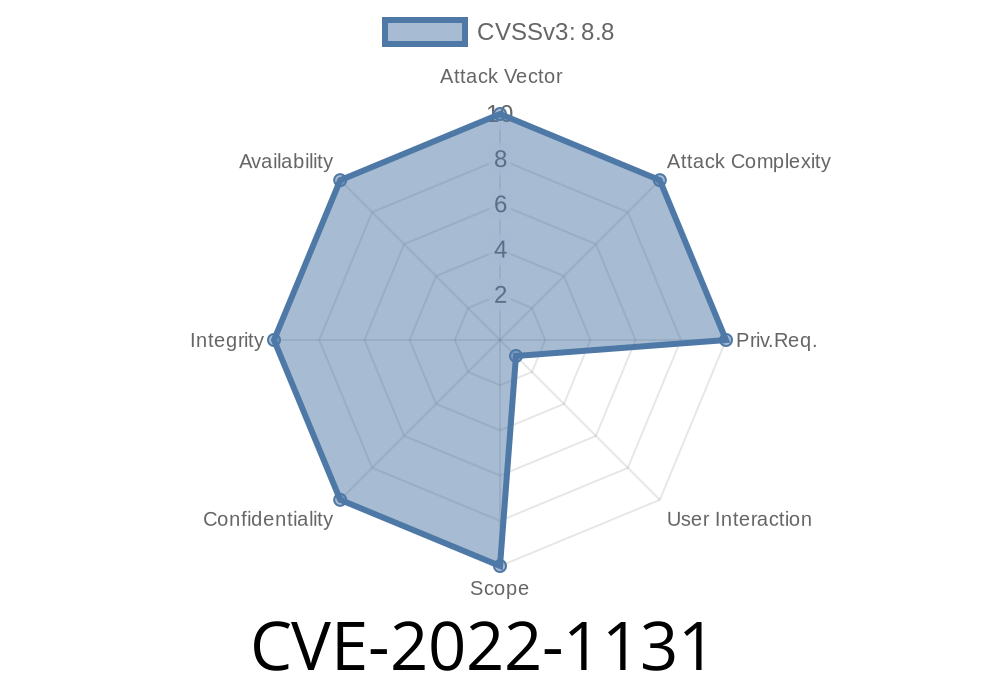
In early 2022, a critical security vulnerability was discovered in Google Chrome affecting the Cast UI component. Known as CVE-2022-1131, this flaw allowed remote attackers to exploit a "use-after-free" weakness and potentially corrupt the browser’s memory. This article will break down the vulnerability in simple terms, show how exploitation might work, share code snippets, and give you resources to learn more.
What Is a Use-After-Free?
A "use-after-free" bug is a type of memory management issue where a program continues to use memory after it’s been freed (released). This can lead to unpredictable behavior, crashes, or even let attackers execute malicious code.
Imagine you return a library book, someone else borrows it, but you still try to write notes in it. The results could be confusing, or you could cause serious problems!
Affected Versions: Google Chrome prior to version 100..4896.60
- Cause: Cast UI didn’t properly track when components were freed, sometimes letting a web page interact with memory that was already released.
- Risk: A specially crafted web page could force Chrome’s Cast UI to use freed memory, opening the door for exploitation.
How Could Hackers Exploit This?
A remote attacker could create a web page designed to trigger the bug. When you visited it, your Chrome browser could end up trying to use memory that was no longer valid. This could cause Chrome to crash, or—much worse—let the attacker run malicious code in your browser.
Heap corruption occurs, and with careful manipulation, the attacker can inject malicious code.
## Example Vulnerable/Exploiting Code
For security reasons, we won't provide a working exploit, but here’s a conceptual JavaScript snippet demonstrating the basic idea:
// This is for educational purposes, to show the concept.
function triggerUseAfterFree() {
  // Create a video element and attach to the page
  var video = document.createElement('video');
  document.body.appendChild(video);

  // Start casting (requires user interaction in real cases)
  video.src = 'https://some-video-url.exploit.com/sample.mp4';;
  video.setAttribute('cast', '');

  // Rapidly add and remove the video element to trigger freeing
  for (let i = ; i < 100; i++) {
    document.body.removeChild(video);
    document.body.appendChild(video);
  }
}

triggerUseAfterFree();
This simplified code cycles a video element, which interacts with the Cast UI backend. The actual exploit would use more advanced techniques and precise timing.
How to Stay Safe
- Update Chrome: This bug is fixed in versions 100..4896.60 and above. Always use the latest browser version.
References and More Reading
- Google Chrome Release Notes (Chrome 100)
- NVD - CVE-2022-1131 Details
- Chromium Security Issue 1308754 *(may require login for full details)*
- Chromium Blog: Security Fixes
Conclusion
CVE-2022-1131 is a serious vulnerability that shows how memory issues like use-after-free bugs can put end users at risk—even in major browsers like Google Chrome. The best defense is keeping your software up-to-date and being cautious online.
Timeline
Published on: 07/23/2022 00:15:00 UTC
Last modified on: 08/15/2022 11:16:00 UTC