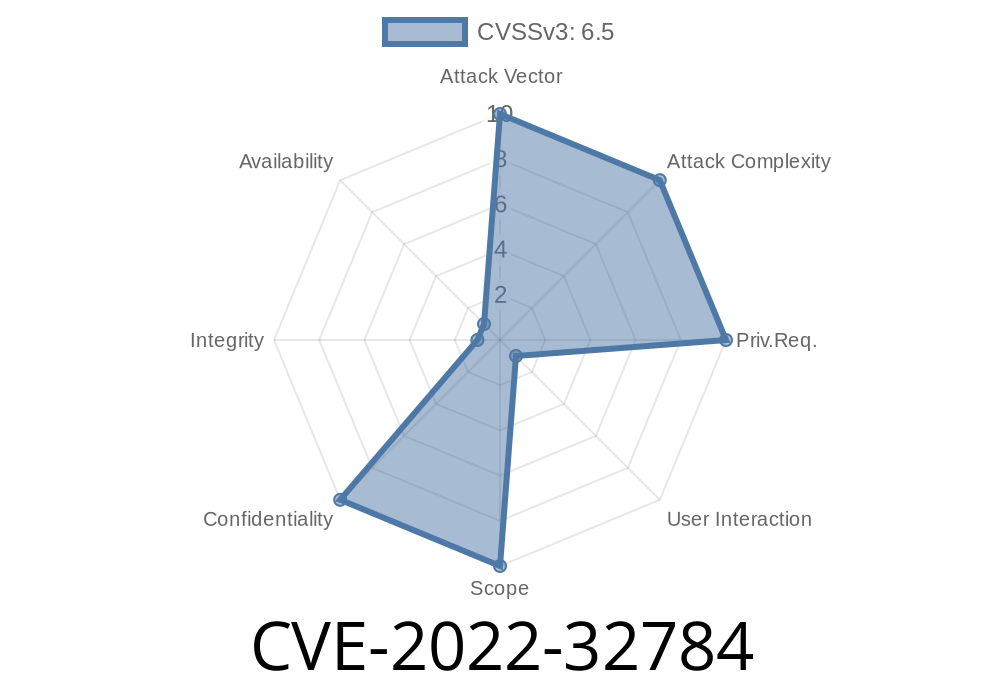
In 2022, a security issue known as CVE-2022-32784 was found in Apple’s browser, Safari, and the web browsing features of iOS and iPadOS. This bug could allow a specially crafted website to leak your private data. Apple responded by patching the hole in Safari 15.6, iOS 15.6, and iPadOS 15.6. Let’s break down what happened, how it worked, and why you should care — all using simple examples and code.
What Went Wrong?
When you visit a website, the browser is supposed to keep each website’s data separate from others. This “sandboxing” stops one website from peeking at another’s info, like your emails, chats, or saved passwords.
But a flaw in Safari’s user interface handling could let a malicious webpage break these rules. Through the bug, a bad site could leak your private data or sensitive info from another site.
Apple described it like this in their security notes
> "Visiting a maliciously crafted website may leak sensitive data. This issue was addressed with improved UI handling."
How Could Data Leak Happen?
While Apple has not published the detailed technical paper, we know from similar bugs that UI handling issues often relate to how pop-ups, redirects, or iframe displays are managed by the browser. Mishandling these could let a website “fool” the browser UI, trick it into revealing private data, or trigger scripts in the wrong context.
Let’s look at a simplified example: Imagine a web page uses an <iframe> to silently load your email site in the background. If the browser doesn't properly separate this from the malicious page, the bad website might be able to read parts of your emails.
Example: Leaky Iframe Attack (Simplified)
<!-- Attacker's Page -->
<iframe src="https://youremail.com/inbox"; style="display:none"></iframe>
<script>
  // Try to access iframe contents (should be blocked by browser)
  try {
    let inbox = document.querySelector('iframe').contentWindow.document.body.innerText;
    alert('Inbox contents: ' + inbox);
  } catch (e) {
    alert('Blocked by browser (good!).');
  }
</script>
Normally, browsers will block this (“Same-Origin Policy”). But if the UI bug lets code from the attacker’s page sneak past this barrier, you could lose sensitive info.
How Was It Fixed?
Apple addressed the problem by improving their UI handling. This likely means they fixed how Safari manages windows, pop-ups, and embedded content, making sure every site truly runs in its own secure space.
Fixed in:
- Safari 15.6 (release notes)
iPadOS 15.6
Updating to these versions *immediately* closes the loophole.
Original References
- CVE-2022-32784 on MITRE
- Apple Security Release Notes for iOS 15.6 / iPadOS 15.6
- Apple Security Release Notes for Safari 15.6
- Apple’s Security Site
Exploit Details
Because this bug involves the browser UI and cross-site data access, the actual real-world exploit would have looked something like this:
You receive a link to a *malicious website*.
2. You click it — it opens in Safari (or any app using Safari/WebKit).
3. The [bad] website tries to embed sensitive sites (like your mail or bank) in hidden frames, or trigger redirects/pop-up events.
Using the UI handling flaw, it bypasses browser protections and *reads data not meant for it*.
Proof-of-concept codes were not widely published (for user safety). But similar bugs (like this old Safari bug or the Spectre/Meltdown class of bugs) show this kind of cross-site leakage can be powerful.
What Should You Do?
- Update your devices: Make sure your iPhone, iPad, and Macs run at least iOS 15.6 / iPadOS 15.6 / Safari 15.6 or newer.
- Be careful with suspicious links: Avoid clicking on links from untrusted sources, especially if your device is not updated.
- Stay current: Safari, Chrome, and Firefox regularly squash these bugs — update early and often.
Conclusion
CVE-2022-32784 is another example of how even a small oversight in browser UI handling can lead to big privacy problems. Apple moved quickly to fix it — but only *your* updates keep you fully safe.
For more info, check the official CVE report or Apple’s updates page. Always keep your browser and OS up to date!
Timeline
Published on: 02/27/2023 20:15:00 UTC
Last modified on: 03/07/2023 20:27:00 UTC