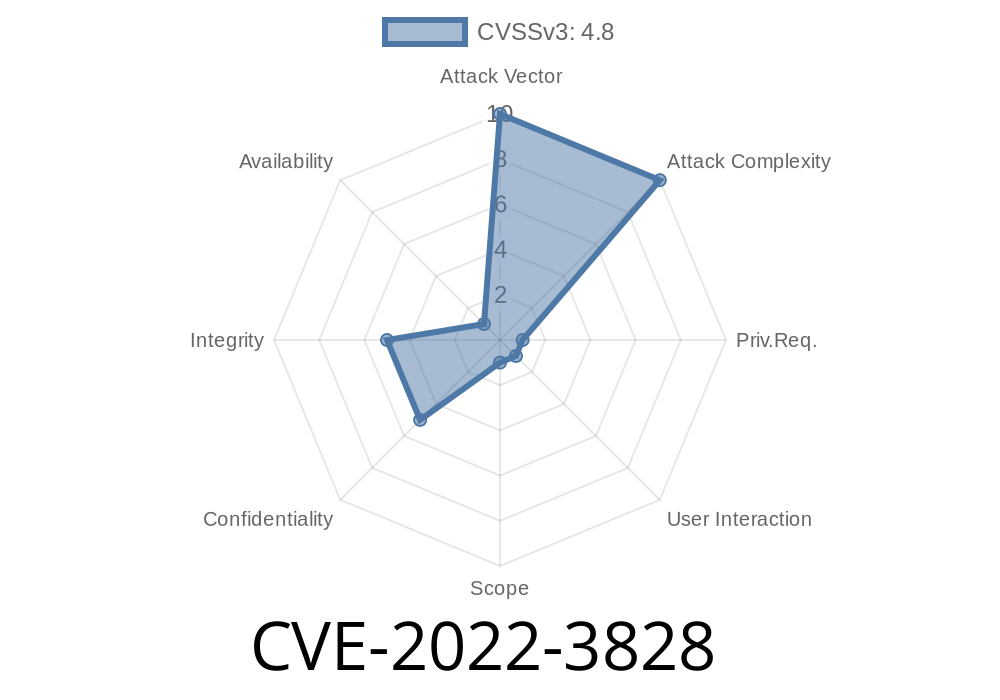
WordPress plugins can add amazing features to your website, but they can also introduce security risks if not maintained well. One such plugin, Video Thumbnails (used for automatically generating and displaying thumbnails of video embeds), had a significant vulnerability tracked as CVE-2022-3828. This post will explain what this vulnerability is, how it can be exploited, and provide real code examples, all in easy-to-understand English.
If you’re running WordPress with Video Thumbnails plugin version 2.12.3 or below, read carefully—even high-privileged users like site admins could unwittingly open doors to hackers.
What is CVE-2022-3828?
In short, CVE-2022-3828 is a Stored Cross-Site Scripting (XSS) vulnerability in the Video Thumbnails WordPress plugin (versions up to 2.12.3). The key problem? The plugin didn’t properly sanitize or escape some of its settings, which means specially-crafted scripts could be stored and later executed in an admin’s browser.
Why does this matter?
- High privilege users (such as administrators) could inject malicious JavaScript—even if WordPress’s unfiltered_html capability is blocked (like in multisite environments).
- Attackers could use this flaw to steal cookies, perform actions as the admin, or hijack the website.
Who found this?
The vulnerability was originally reported by Marty Scanlon of Wordfence, and the issue has been officially acknowledged:
- Wordfence Advisory
- WPScan Entry
How does the vulnerability work?
The core reason is that user input (like plugin settings) is stored in the database without security checks (no escaping or sanitizing). When a WordPress admin or someone else later loads a settings page, any malicious input is output raw (exactly as it was entered), containing things like <script> tags.
If you can edit these plugin settings, you can inject your script which executes when someone (even yourself) visits the settings page again.
Let’s look at an example.
Suppose the plugin saves a custom video size in its settings. Instead of just entering a plain value, a privileged user could enter:
300" onmouseover="alert('Hacked by CVE-2022-3828')"
Or, for a more direct attack
"><script>alert('XSS Exploit by attacker!')</script>
If this value gets used in the page without escaping, the browser will execute the attack code.
Here’s what *bad* plugin code might have looked like (hypothetically)
// Dangerous: no escaping or sanitization
echo $_POST['some_plugin_setting'];
When saving a setting, the plugin should always do
// Safe: sanitize and escape for HTML
echo esc_html($_POST['some_plugin_setting']);
Or, when saving to the database
update_option('some_plugin_setting', sanitize_text_field($_POST['some_plugin_setting']));
Next time anyone loads that settings page (including the admin), the JavaScript runs.
Result: The attacker can perform various actions as the logged-in user or steal cookies/session tokens.
Why is Multisite Extra Vulnerable?
On a WordPress Multisite, even administrators don’t have unfiltered_html by default. This means plugins must escape all HTML input/outputs. But here, a plugin failed to do so—making a rare path for admins to run (or be susceptible to) XSS, even though WordPress’s standard restriction is in place.
Patch & Mitigation
The fix?
The plugin authors patched the problem in version 2.12.4, making sure settings input is sanitized and output is properly escaped.
References & More Reading
- Video Thumbnails plugin at WordPress.org
- Wordfence advisory on CVE-2022-3828
- WPScan CVE-2022-3828
Conclusion
CVE-2022-3828 is a reminder that all user input—especially from trusted users—must be sanitized and escaped. Stored XSS flaws are a big risk in WordPress plugins, and administrators should be careful:
Watch for security advisories
Even a well-intentioned admin can accidentally (or purposely) create a security issue if plugins don’t follow best practices. The fix is simple—keep your plugins up-to-date and be careful with user-supplied data.
Timeline
Published on: 11/28/2022 14:15:00 UTC
Last modified on: 11/30/2022 03:48:00 UTC