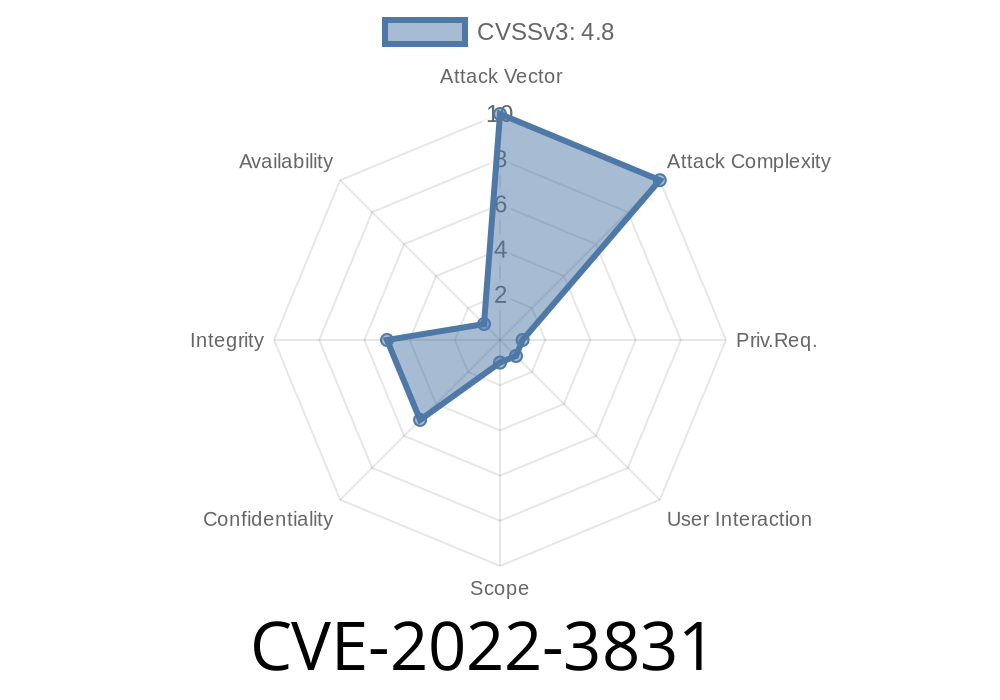
WordPress plugins make websites both customizable and vulnerable. In late 2022, a vulnerability labeled CVE-2022-3831 was found in the very popular reCAPTCHA plugin for WordPress, up to version 1.6. This post will break down what this issue is, why it matters even to admins, and how attackers could use it. For those interested in the technical details—including code snippets, attack examples, and official references—read on.
What is CVE-2022-3831?
CVE-2022-3831 is a Stored Cross-Site Scripting (Stored XSS) vulnerability affecting the reCAPTCHA WordPress plugin versions up to 1.6. The plugin fails to properly sanitize and escape several of its backend settings inputs. This flaw enables high-privileged users (like admins) to store malicious JavaScript code in the site's database, which then gets executed in other users’ browsers—*even if they do not have the usual WordPress unfiltered_html capability*.
This kind of bug is serious, especially on multisite WordPress installations where user capabilities are usually more restricted.
How the Attack Works
A logged-in user with sufficient privileges (like a sub-site admin in multisite) can enter crafted JavaScript code into specific plugin setting fields. Because the plugin does not clean this input on save or when displaying it, any page loading those settings will execute the code.
Example Field
One of the vulnerable settings is the “*Error message for failed reCAPTCHA*” field in the plugin settings page.
Step 1: Crafting the Payload
Suppose you’re an admin (or a sub-site admin) on a WordPress website running this plugin. On the reCAPTCHA settings page, set the *“Error Message”* field to this:
<xss><script>alert('CVE-2022-3831 XSS')</script>
Step 2: Saving the Settings
Save the plugin settings (submit the form). No filtering or escaping happens—so your code is now stored in the WordPress database.
Step 3: Triggering the Payload
Whenever *any* user triggers a reCAPTCHA error (e.g., by failing to solve it), the error message displays—*complete with your JavaScript code*. Their browser runs it:
!XSS Demo
*Example: JavaScript runs in the browser*

Privilege Escalation: Attackers may even be able to perform actions as other users.
Even if the unfiltered_html capability is disabled (WordPress' usual XSS control), this exploit works—making it a danger, especially to multisite installs where some admins aren’t supposed to run code.
Vulnerable code (simplified from plugin’s PHP)
echo '<div class="recaptcha-error">' . get_option('recaptcha_error_message') . '</div>';
The function above prints out the error message with no escaping, so any HTML/JS in the value gets rendered and run by browsers.
Proper fix
echo '<div class="recaptcha-error">' . esc_html(get_option('recaptcha_error_message')) . '</div>';
esc_html() will sanitize user input so scripts can’t run.
Go to reCAPTCHA plugin settings.
2. Set any error message field to <script>alert(document.cookie)</script>.
Remediation and Recommendations
- Update Immediately: Upgrade to reCAPTCHA plugin version 1.7 or higher, where input is sanitized and output escaped.
Restrict plugin admin access where possible.
- Regularly audit plugins for vulnerabilities using security tools like WPScan.
References
- CVE-2022-3831 at NVD
- WPScan Vulnerability Report
- WordPress Plugin Page
- Plugin changelog/fix
Final Thoughts
CVE-2022-3831 reminds us that even plugins from official repos can have critical security bugs. Always sanitize user input, always escape output. And always keep everything updated!
If you run a WordPress multisite or let others administer your site, update reCAPTCHA right now.
*Stay safe out there, and happy (secure) blogging!*
Timeline
Published on: 11/28/2022 14:15:00 UTC
Last modified on: 11/30/2022 03:48:00 UTC