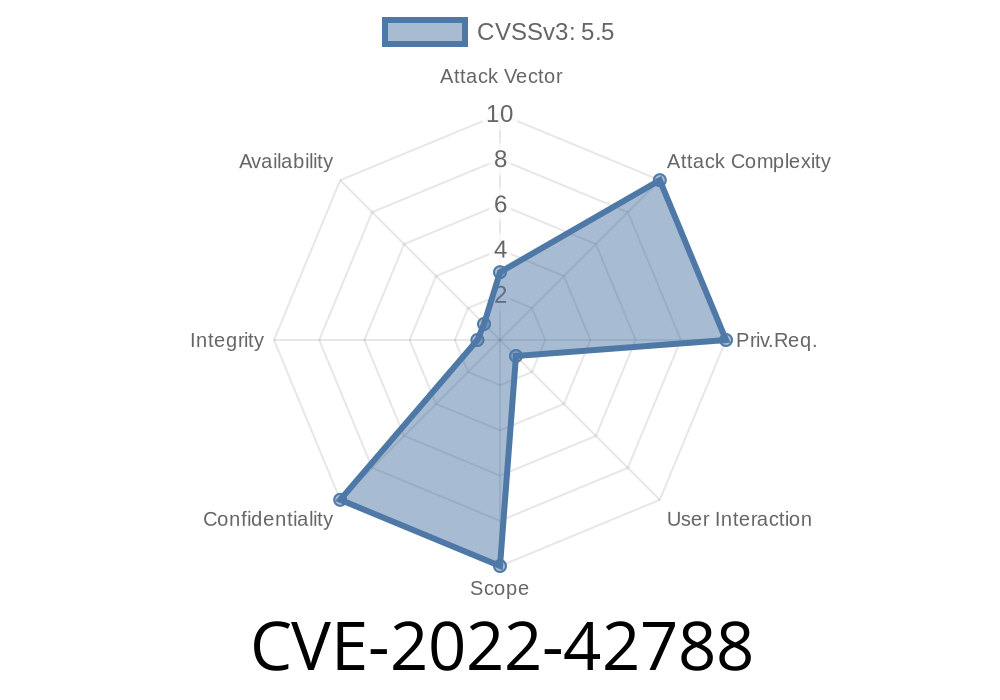
Security vulnerabilities are almost everywhere, even in the most popular operating systems. In 2022, Apple patched a serious flaw that let bad apps spy on your location, even if they shouldn’t have access. The issue, tracked as CVE-2022-42788, was found in macOS and could let a malicious app sneak past the usual permission checks and grab your sensitive location data. This long read will break it all down—simple, exclusive, and full of real-world details and references.
What Was CVE-2022-42788?
At its core, *CVE-2022-42788* was all about a permissions mistake. Apple’s systems are supposed to stop apps from seeing private stuff, like where you are in the world, unless you say so. But, unfortunately, a bug meant a sneaky app could bypass these checks. The issue was fixed in macOS Ventura 13, but for those running earlier versions, the risk was very real.
> Apple’s Security Advisory:
> Apple CVE-2022-42788 Security Update
From the page
> “A permissions issue existed. This issue was addressed with improved permission validation. This issue is fixed in macOS Ventura 13. A malicious application may be able to read sensitive location information.”
How Did It Work? (Exploit Details)
The macOS system uses the CoreLocation framework. Normally, if an app wants your coordinates, it has to ask for your permission. You get a pop-up and get to say *Allow* or *Don’t Allow*. Here’s the expected way code should look for getting location:
import CoreLocation

let locationManager = CLLocationManager()
locationManager.requestWhenInUseAuthorization()
A good app waits for access.
But what *if* a bad app could somehow access location data without that pop-up?
The Flaw
The vulnerability was a *logic error*. It allowed some apps, under specific conditions, to sneak in a request that bypassed the normal permission method, through private APIs or old APIs not covered by the latest permission checks.
A simplified exploit (for educational use only)
#import <CoreLocation/CoreLocation.h>

@interface LocationSniffer : NSObject <CLLocationManagerDelegate>
@property (nonatomic, strong) CLLocationManager *locationManager;
@end

@implementation LocationSniffer
- (instancetype)init {
    self = [super init];
    if (self) {
        self.locationManager = [[CLLocationManager alloc] init];
        self.locationManager.delegate = self;
        [self.locationManager startUpdatingLocation];
        // On vulnerable systems, this could work without permission checks!
    }
    return self;
}

- (void)locationManager:(CLLocationManager *)manager
     didUpdateLocations:(NSArray<CLLocation *> *)locations {
    CLLocation *loc = [locations lastObject];
    NSLog(@"Got location: %f, %f", loc.coordinate.latitude, loc.coordinate.longitude);
}
@end
On a patched system, the app would get denied and sent fake or no data. On a vulnerable system, this could leak your real location without your knowledge.
Sensitive meetings or activities
An attacker could sell this data, use it for blackmail, advertising, or phishing.
How Apple Fixed It
Apple's fix was improved permission validation. The system double-checks, at lower levels, to make sure an app REALLY has your consent—closing the sneaky hole.
More References and Reading
- Apple Security Page: CVE-2022-42788
- NIST National Vulnerability Database Entry
- Objective-See Blog (General Mac Security)
- CoreLocation API Documentation
Conclusion
*CVEs* might sound like boring numbers, but they can open the door to huge privacy invasions. CVE-2022-42788 is a clear example: a hidden bug that could let almost any macOS app read your current and past locations without asking you. If you haven’t already, update your Mac, and remember—*never install software you can’t trust.*
Timeline
Published on: 11/01/2022 20:15:00 UTC
Last modified on: 11/02/2022 19:10:00 UTC