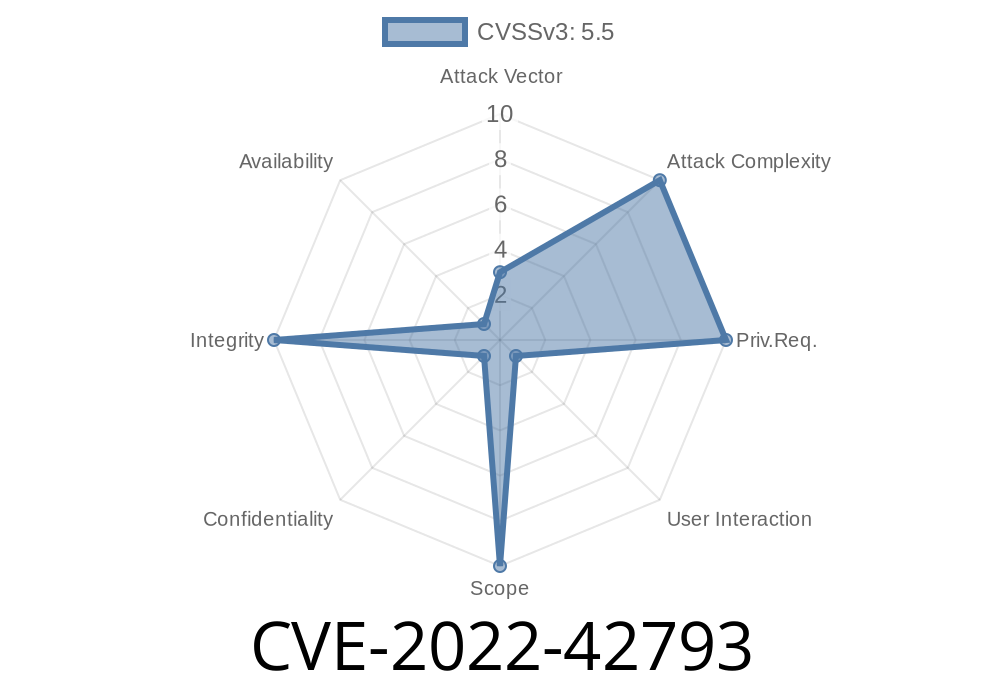
Code signing is one of the pillars of Apple’s security. It ensures that only trusted, signed software runs on your Mac, iPhone, or iPad. But in 2022, an important vulnerability was found that let a malicious app slip past this security check. That issue is tracked as CVE-2022-42793.
This post will explain what happened with CVE-2022-42793, how the exploit worked, show some example code, and what Apple did to fix it. We’ll keep things easy to understand, and if you want, you can check the official references at the end.
What is CVE-2022-42793?
CVE-2022-42793 is a security flaw in how Apple devices checked the signatures of apps and code. Basically, a properly signed app is like showing your school ID at the door—if it checks out, you get in.
This vulnerability meant a sneaky app could edit or craft its files to pass the ID scan even if it wasn’t really trusted—getting past the code signing checks Apple relies on.
Impacted Systems
* Mac: macOS Big Sur (before 11.7), Monterey (before 12.6), and Ventura (before 13.)
* iPhone/iPad: iOS 15.7 & earlier, iOS 16, iPadOS 15.7 & earlier
An attacker who exploited this bug could run untrusted code with the privileges of a signed app. This potentially meant malware, data theft, or running dangerous actions on your device.
Explaining the Exploit
Apple hasn't released the nitty-gritty details to protect users, but here's a simplified rundown of how an attacker might have exploited this:
1. Create or edit an app so that the manifest or executable contains changes, but tricks the system into believing its code signature was still valid.
2. Bypass the check: Because the validation was incomplete, the malicious app would slip past, even though it shouldn’t.
3. Run arbitrary code: Once through, the attacker could do anything the app was allowed to—read files, access your photos, maybe even escalate their privileges.
Let’s say Apple’s old code looked something like this
// (This is for illustration and not the real Apple code)
bool isSignedAndTrusted(App app) {
    // Only check an app's signature - skip checking embedded libraries
    return verifySignature(app.mainExecutable);
}
An attacker could add malicious code in a library, and the system wouldn’t check that! After the fix, it looks more like:
// Improved check
bool isSignedAndTrusted(App app) {
    if (!verifySignature(app.mainExecutable)) return false;
    for (Library lib : app.embeddedLibraries) {
        if (!verifySignature(lib)) return false;
    }
    return true;
}
Now every component—main executable and all libraries—must be signed and valid.
Repackage the app but keep the original signature on the main executable unchanged.
If the system only checked the app’s main binary signature, the whole app appeared safe. An attacker could distribute this phony app, and people (or other exploits) could run code that bypassed Apple’s protections.
Apple’s Fix
According to the Apple security update notes, the problem was caused by incomplete checks during code signature validation.
Apple’s improvement
> "An issue in code signature validation was addressed with improved checks."
That means Apple updated their validation process to make sure all parts of an app—including embedded libraries and resources—now get checked.
iOS 16. (and later)
- iOS/iPadOS 15.7 (and later)
If you install these updates, you’re no longer vulnerable to CVE-2022-42793.
Protect Yourself
- Update your devices to the latest version. If you’re running macOS Big Sur, Monterey, Ventura, or iOS/iPadOS 15.7 or earlier, update asap.
Only install apps from the official App Store.
- If you’re a developer, avoid running unsigned or untrusted code and carefully review your app’s build process.
References
- Apple Security Update Notes – CVE-2022-42793
- NIST National Vulnerability Database – CVE-2022-42793
- Apple Platform Security: Code Signing & App Security
Final Thoughts
CVE-2022-42793 was a reminder that even strong security systems can have hidden cracks. Apple’s code signing is critical, and attackers are always looking for creative ways to slip through. Keeping your software updated is the best defense—so don’t ignore those alerts!
If you found this helpful, consider sharing it with your friends or team to help them stay safe, too.
Timeline
Published on: 11/01/2022 20:15:00 UTC
Last modified on: 11/03/2022 03:48:00 UTC