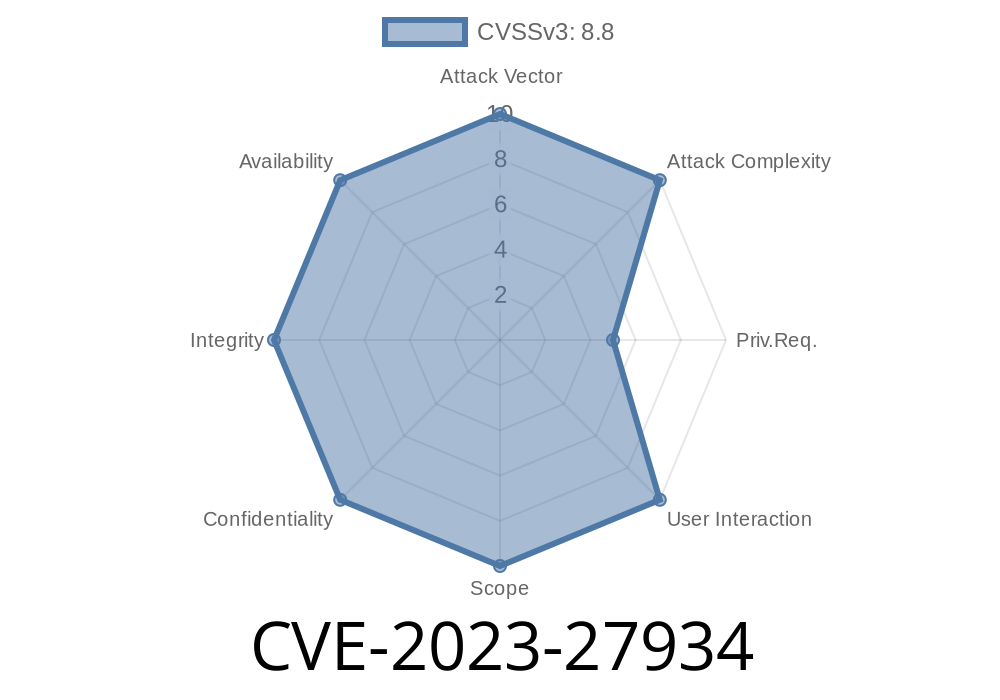
In early 2023, Apple patched a critical memory initialization vulnerability in macOS Ventura (CVE-2023-27934). This bug may have allowed remote attackers to crash applications or even run malicious code on Mac computers. Let's break down everything you need to know—how it worked, why it's dangerous, and how you can stay safe.
What is CVE-2023-27934?
CVE-2023-27934 official advisory describes a "memory initialization issue" affecting macOS Ventura. Basically? Some software didn't properly clean up or set up parts of computer memory before using it. That could spell big problems, especially when dealing with apps coming from the internet.
Apple’s Official Description
> "*A memory initialization issue was addressed with improved memory handling. This issue is fixed in macOS Ventura 13.3. A remote user may be able to cause unexpected app termination or arbitrary code execution.*"
Why Memory Initialization Matters
Memory is like a blank page for your computer apps. If a program doesn’t "zero out" its memory space, leftover data or random junk could stay behind. Imagine this space as a dry-erase board. If you leave old data on it, the next person might see your notes, or worse—use them in ways you didn’t expect.
In this vulnerability, apps may have accidentally used uninitialized memory. That means attackers could:
* Crash your app by confusing it with unexpected data
* Trick the app into running code or doing stuff it shouldn't
How Attackers Could Exploit CVE-2023-27934
Let’s consider how a remote attacker could abuse this bug. A typical attack might involve sending specially crafted data (like files, images, or web code) to your Mac. If the app doesn't properly prepare its memory for this data, the attacker might:
Crash the App: Malformed data accesses junk memory, causing the app to fail.
2. Run Code: Carefully chosen data could be interpreted as code, allowing the hacker to run their own instructions *(the most dangerous possibility)*.
Here's what a bad (buggy) code snippet could look like in C or Objective-C
char buffer[256];

// Memory not cleared! Leftover data remains!
read(socket, buffer, 300); // Unsafe: buffer can overflow and isn't initialized
process(buffer); // Using potentially garbage data
If buffer contains old or malicious data, the process() function could behave unpredictably or unsafely.
Fixed Example
char buffer[256] = {}; // Memory zeroed out
ssize_t n = read(socket, buffer, sizeof(buffer) - 1);
if (n > ) {
    buffer[n] = '\'; // Null-terminate
    process(buffer);
}
*Here, the buffer is initialized, risks of garbage data are minimized, and extra safety checks are in place.*
Real-World Impact
- Remote Exploitation: Since attackers could exploit this via network requests or files, you didn't have to do much to be at risk. Just opening a bad file or visiting the wrong site could be enough.
App Termination: Annoying at best—your app crashes without warning.
- Arbitrary Code Execution: The worst-case scenario—a hacker takes control of your app, steals data, or installs malware.
Proof-of-Concept & Exploit Details
While Apple and security researchers didn't publish working exploits (for safety), independent researchers often create "proof-of-concepts" for memory bugs like this. These usually involve:
Here's a simple pseudo-exploit for education
# This script creates a buffer of data that might trigger an uninitialized memory bug
payload = b"\x90" * 300  # NOP sled: No-Operation bytes
payload += b"\xcc" * 4   # Breakpoints to show a crash in debugger

with open("exploit_file.dat", "wb") as f:
    f.write(payload)
If the vulnerable app tried to process "exploit_file.dat" without proper memory handling, it might crash or, in rare cases, hit the attacker's code.
You are not safe if
* You run macOS Ventura 13.2 or older and haven't updated.
* You use affected apps that haven't patched this memory issue.
You are safe if
* You updated to macOS Ventura 13.3 or later.
* Your third-party apps are up-to-date.
Update macOS:
Go to Apple Menu → System Settings → General → Software Update. Install the latest update (at least Ventura 13.3+).
Update Applications:
Keep all your apps updated, especially browsers, mail clients, and anything that handles files.
Be Careful with Files:
Avoid opening downloads, links, or email attachments from unknown sources.
References and Further Reading
- Apple Security Update Advisory for CVE-2023-27934
- MITRE CVE Record
Conclusion
CVE-2023-27934 highlights just how dangerous memory bugs can be, even on “safe” systems like macOS. With the potential for remote code execution, this flaw was no joke. The good news? Apple fixed it fast. The best thing you can do: keep your Mac and apps updated, and stay informed about new security updates.
Timeline
Published on: 05/08/2023 20:15:00 UTC
Last modified on: 05/11/2023 20:35:00 UTC