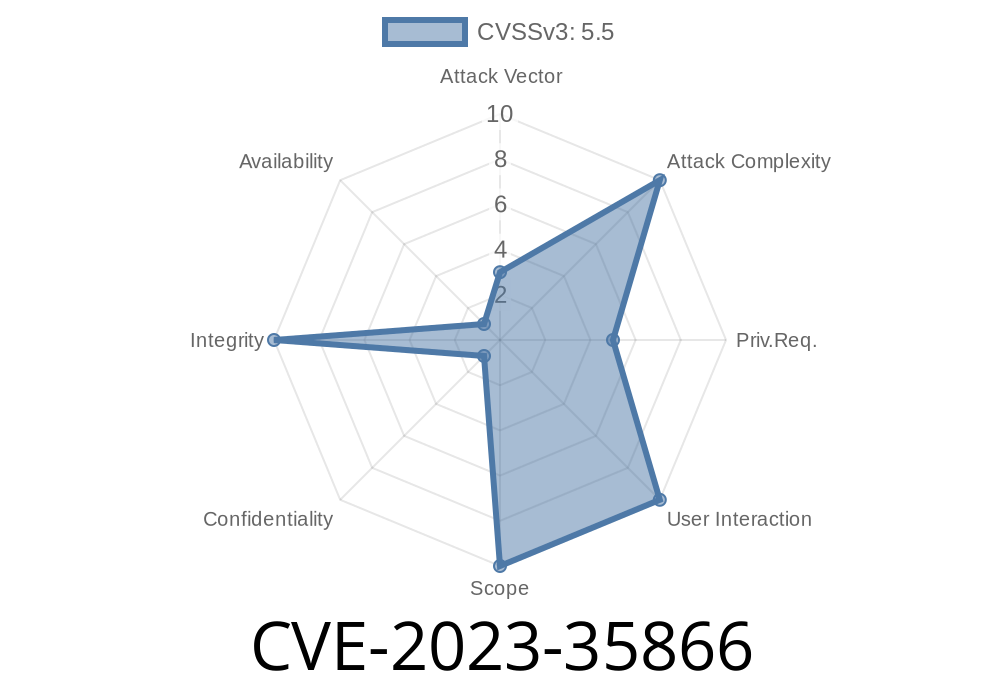
In June 2023, a vulnerability was registered as CVE-2023-35866, reporting that in KeePassXC version through 2.7.5, a local attacker could change important database security settings, like the master password and 2FA, _without needing to re-authenticate_. This means if someone had access to an open KeePassXC database, they could alter its protection using only your running session.
However, this CVE is marked as "DISPUTED", because the KeePassXC developers argue that such an extra password prompt wouldn’t realistically stop a determined local attacker. This post explores what this means, shows some code snippets, and provides resources for you to make your own judgment.
What Is KeePassXC?
KeePassXC is a popular open-source password manager used on Windows, Mac, and Linux. Its main security feature is an encrypted database, protected by a master password (and sometimes other second-factor authentication like a key file or YubiKey).
Summary
Once a user authenticates and opens their password database in KeePassXC, an attacker with local access can:
Change other security settings
All without being prompted to re-enter the current master password or second-factor auth.
This could allow someone to remove security controls from your database, _while it's unlocked_.
Demonstration in App
Suppose you leave KeePassXC unlocked (database open) and walk away from your computer. An attacker with physical (or remote desktop) access could do:
Save the database with the new settings
At no point do they have to re-enter the current password or any 2FA challenge. They can use it as long as the database is open.
Code Snippet
Inside KeePassXC's code, responsible for changing master key settings (prior to v2.7.6), you can see that it doesn't require authentication once the database is open:
// Pseudocode: what actually happens

void MainWindow::changeMasterKey() {
    if (!m_db->isOpen())
        return;

    // Open dialog for user to set new password/key file
    MasterKeyDialog dialog;
    if (dialog.exec() == QDialog::Accepted) {
        m_db->setMasterKey(dialog.getMasterKey()); // No re-authentication required
    }
}
Note: As per the KeePassXC GitHub discussion, there is _no prompt_ for verifying the existing master key before changes are applied. The developer’s comment is:
> Asking the user for their password prior to making any changes to the database settings adds no additional protection against a local attacker.
An attacker (coworker, malware, remote session) acts on their session.
4. The attacker opens the master key change dialog in KeePassXC, sets a new master password (or turns off 2FA).
The attacker saves the database and closes KeePassXC.
6. Result: The original user can't access their password database (if the password was changed). Or, the database is now much less secure (if 2FA was disabled).
Simple Exploit Script
A more technical attacker might even automate this with fake user input. For example, on Linux with xdotool (simulate keystrokes):
# WARNING: Do not run this on someone else's computer!

# Switch to KeePassXC window, open change password dialog
xdotool search --name "KeePassXC" windowactivate --sync key alt+d key Down key Enter

# (You'd need to fill in password fields using more xdotool keystrokes here)
# Complete and save changes
On Windows, similar actions could be scripted with PowerShell or auto-hotkey scripts.
The KeePassXC team states
> We do not consider this a security vulnerability. If an attacker already has access to a running KeePassXC session, then all of the passwords are available. Asking the user for their password prior to making any changes to the database settings adds no additional protection.
Why?
Once the database is open, all secrets are decrypted in memory.
- An attacker can already extract all passwords and entries, so changing the master password or 2FA gives them no _more_ power.
Security Best Practices
Even if the vendor is right from a "serious attacker" perspective, many users expect to have to re-confirm sensitive changes. After all, you wouldn't want someone to swap your account's 2FA method just because your screen is unlocked.
What YOU Can Do
- Never leave KeePassXC unlocked/unsupervised: Always lock your database or PC if you leave it unattended.
- Enable auto-lock: Use KeePassXC options to lock automatically on inactivity or after computer sleep.
- Monitor recent database changes: Be suspicious if your master password or database settings have changed unexpectedly.
Official References
- NVD CVE-2023-35866 record
- KeePassXC Github issue #9419 (Vendor Response)
- KeePassXC Official Site
Conclusion
*CVE-2023-35866* describes a real behavior: a user (or attacker) with an open KeePassXC database can change critical security settings without re-authentication. The main controversy is whether this is truly a "security vulnerability." The vendor says, "No additional protection," but others argue for usability and defense in depth, as most users expect extra confirmation for such high-risk actions.
Make your own choice—protect your database when not in use, and stay tuned for how password managers evolve in their security user experience!
Stay Safe!
*If this was helpful, consider sharing to raise awareness on password manager habits.*
Timeline
Published on: 06/19/2023 06:15:00 UTC
Last modified on: 07/07/2023 14:01:00 UTC