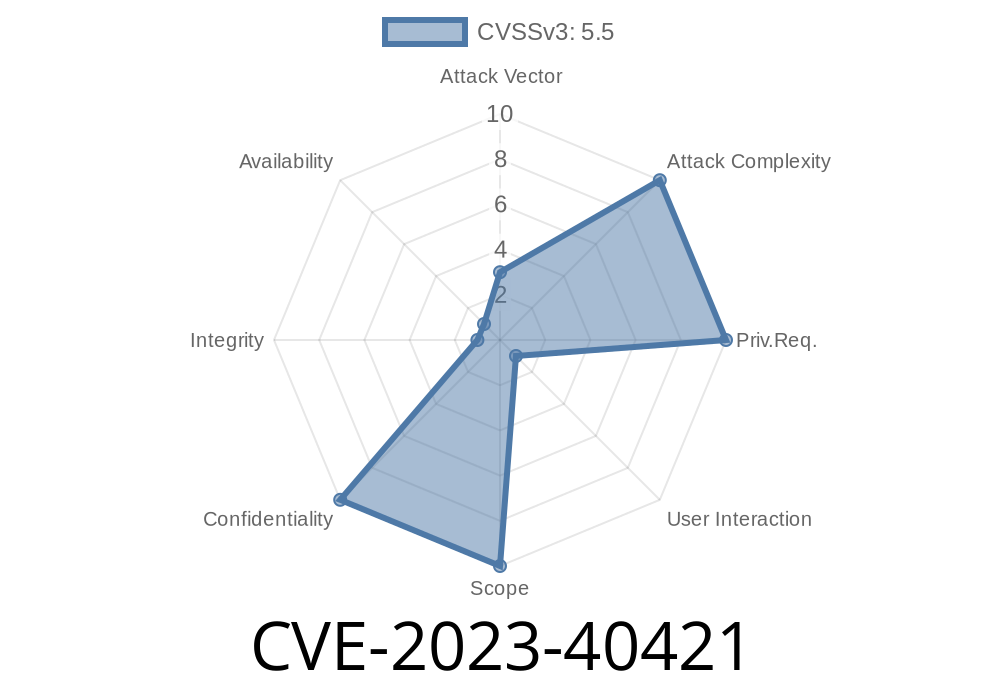
A serious vulnerability, CVE-2023-40421, was recently discovered in Apple macOS. This bug could let malicious apps access sensitive user data—meaning things you thought were private (like your photos, contacts, and more) could have been exposed without your knowledge. Apple responded by patching the issue in macOS Sonoma 14.1, Monterey 12.7.1, and Ventura 13.6.1. In this post, we’ll break down what happened, how the exploit works, and how the patch fixed it. If you use a Mac, this is important stuff to know.
What is CVE-2023-40421?
CVE-2023-40421 is a permissions bug in macOS. In simple terms, certain apps could access more user data than they were supposed to—circumventing Apple’s usual protections that ask for your permission before an app accesses things like your Documents, Desktop, Photos, or even Messages.
Why Does This Matter?
Modern operating systems use a model called “sandboxing” to make sure apps only touch their own files—unless you explicitly grant them more access. When an app can jump this fence, it’s a big problem: malware or a rogue app could spy on you, steal files, or leak personal details.
How Was It Exploited?
Apple hasn’t released technical exploit code (for obvious reasons), but analysis by the security community and details in the patch notes let us reconstruct what might have happened.
The Core Issue
Before the fix, a third-party Mac app could bypass some built-in privacy restrictions by leveraging a permission loophole. They could use system APIs to reach sensitive directories or data without triggering the usual permission prompts.
Here is a simplified Python code snippet (using PyObjC) showing how a malicious app might have attempted to access the user’s Desktop without proper user approval:
import os
from pathlib import Path

# Example: Trying to access all files in the Desktop directory
desktop_path = str(Path.home() / "Desktop")

for root, dirs, files in os.walk(desktop_path):
    for filename in files:
        filepath = os.path.join(root, filename)
        try:
            with open(filepath, 'rb') as f:
                data = f.read()
                print(f"Read {len(data)} bytes from {filepath}")
        except Exception as e:
            print(f"Failed to read {filepath}: {e}")
Before CVE-2023-40421 was fixed, certain privilege escalation tricks or API calls could “confuse” macOS into letting such unauthorized access succeed!
How Did Apple Fix the Issue?
Apple moved fast and hardened their system. They added extra restrictions and patched the privacy bug as follows:
macOS Ventura: Version 13.6.1 and later
Now, if an app tries to access sensitive data without explicit user permission, macOS will block it—even if privilege escalation tricks are used. Apple’s tighter controls make it much harder for malicious apps to sneak into protected areas.
A Visual Example: Before vs After the Patch
Let’s look at what an unauthorized app would see when trying to list the files in your Documents folder.
Before the Patch
/Users/alice/Documents/tax_return.pdf
/Users/alice/Documents/secret_notes.txt
...
After the Patch
Failed to read /Users/alice/Documents/tax_return.pdf: [Errno 13] Permission denied
Failed to read /Users/alice/Documents/secret_notes.txt: [Errno 13] Permission denied
Official References
- Apple Security Update, November 2023
- CVE-2023-40421 entry on MITRE
- Apple’s macOS Release Notes – Sonoma 14.1
How Can I Protect Myself?
- Update your macOS! Make sure you’re running at least Sonoma 14.1, Ventura 13.6.1, or Monterey 12.7.1.
- Limit third-party apps. Only install apps from trusted developers and stick to the App Store when possible.
- Check your security/privacy settings. You can see which apps have access to things like Documents, Photos, and Contacts in System Settings.
Conclusion
CVE-2023-40421 was a serious issue, but Apple’s quick patch means your Mac is safer—as long as you keep it updated. Vulnerabilities like this remind us that good security is an ongoing process. Stay updated and be mindful of what apps you install!
Exclusive tip: Power users can review app permissions by going to “System Settings” > “Privacy & Security” > “Files and Folders” on the latest macOS.
Stay safe and keep your data private!
*Written for the everyday Mac user—by privacy nerds, for everyone.*
Timeline
Published on: 10/25/2023 19:15:09 UTC
Last modified on: 11/02/2023 13:43:35 UTC