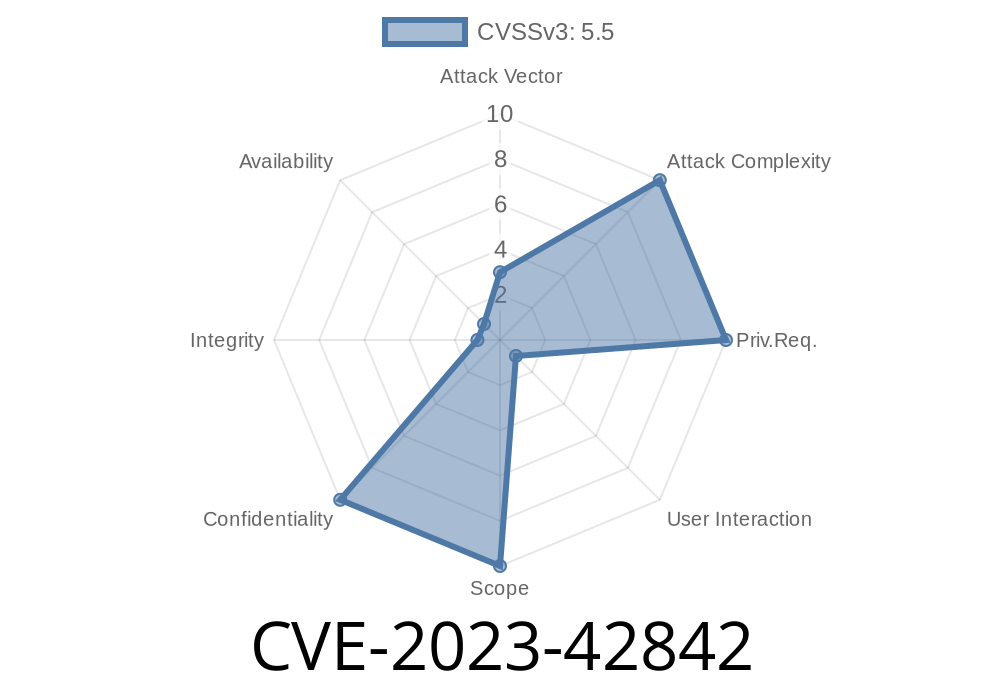
When using a Mac, most people expect their sensitive information to remain safe—especially if they're running the latest macOS version. But that trust took a hit thanks to CVE-2023-42842, a security issue that made it possible for malicious Mac apps to sneak into parts of your private life. In this post, I’ll break down what happened, how attackers could have exploited it, the patch details, and most importantly, how to protect yourself.
What is CVE-2023-42842?
CVE-2023-42842 is a vulnerability officially logged in 2023, affecting macOS systems up to (but not including) macOS Sonoma 14.1. In summary, a specially crafted Mac application could bypass intended security checks and tap into your sensitive user data—think files, messages, and app data you assumed were safe from prying eyes.
Apple’s own words:
> “An app may be able to access sensitive user data. This issue was addressed with improved checks.”
The fix landed in macOS Sonoma 14.1. Until then, any Mac app—even those in the App Store—could, under certain conditions, sidestep macOS’s data protection.
Where Did Things Go Wrong?
At its core, macOS is designed to block apps from accessing user data unless you allow it. Apple uses several layers for this, like sandboxing, user prompts, and permission dialogs (like when Photos asks if an app can access your pictures).
But with CVE-2023-42842, some of these protections didn’t go as deep as intended. Think of a locked door with a loose window next to it; the door is strong, but someone can just pop out the window and let themselves in.
Let’s look at a simplified example. Imagine a sketchy Mac app tries this in (pseudo) Swift code
import Foundation

let sensitivePath = "/Users/yourname/Documents/VeryPrivate.txt"

do {
    let fileContent = try String(contentsOfFile: sensitivePath)
    print("Leaked content: \(fileContent)")
} catch {
    print("Access Denied (as it should be!)")
}
Under normal circumstances, macOS would stop the read and pop up a permission dialog, _or_ just blatantly deny access. But with the right exploit technique, this check could be dodged. While Apple hasn’t released the exploit specifics (and neither will I for obvious reasons), security researchers have speculated that a logic flaw allowed apps to skip key checks or trick the system into thinking permission was granted.
How Could Attackers Exploit This?
Suppose an attacker hid extra code inside a shiny, seemingly innocent app—maybe a fake music player or a note-taking tool. With CVE-2023-42842, the app could:
1. Bypass permissions and read files from protected locations—like your Documents or Downloads folder.
Send your private data off to a remote server, all without any warning.
Often, these attacks go unnoticed until it’s too late.
How Apple Fixed It
When Apple learned about CVE-2023-42842 (likely through a third-party security report), engineers patched it by adding improved checks. In other words, they ensured that _every_ request for protected data had to go through macOS’s permission machinery—no more sneaky workarounds.
To stay safer, always update to the latest macOS (as of writing: Sonoma 14.1 or later). If you don’t, you're risking your private files.
Apple release note:
- Apple Security Updates for macOS Sonoma 14.1
References
- Apple CVE-2023-42842 Security Advisory
- NVD: CVE-2023-42842
- Apple macOS Sonoma 14.1 Release Notes
Regularly review your app permissions (System Settings → Privacy & Security).
Security holes happen. What matters most is staying informed and up-to-date.
Timeline
Published on: 10/25/2023 19:15:10 UTC
Last modified on: 11/02/2023 18:08:01 UTC