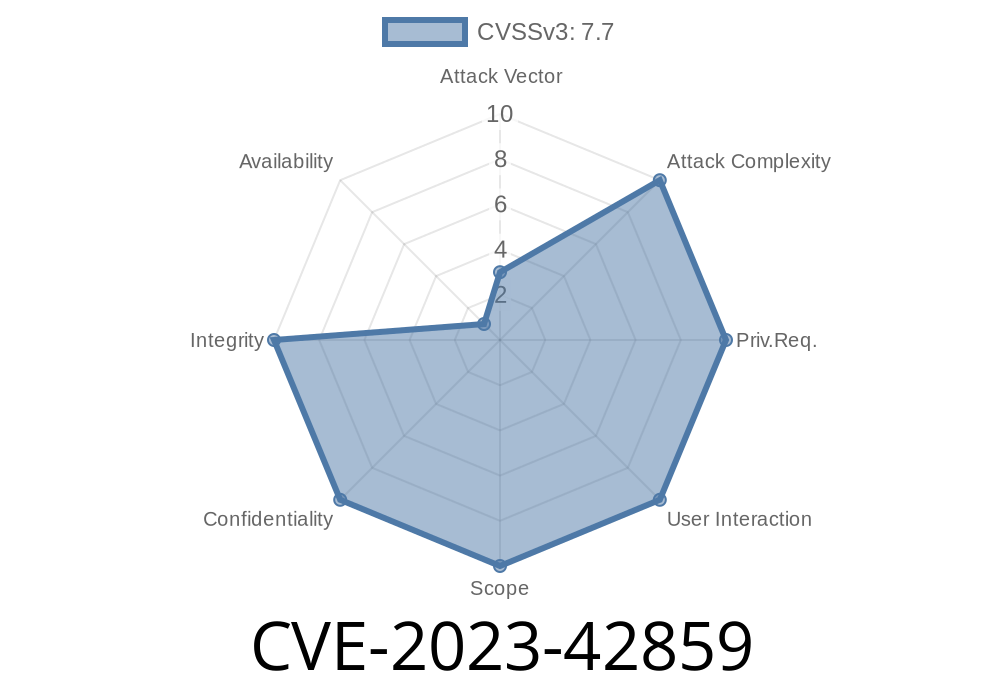
In late 2023, Apple addressed a significant security vulnerability captured under the reference CVE-2023-42859. This flaw is important because it potentially let a malicious app modify protected parts of the Mac file system—something that shouldn’t ever happen under normal circumstances. In this post, I’ll break down what CVE-2023-42859 is, how an exploit might work, what Apple did to fix it, and how you can protect yourself. All technical details are explained in simple American English for clarity.
What Is CVE-2023-42859?
This vulnerability affects the macOS platform, specifically in the following releases before they were patched:
macOS Monterey before 12.7.1
According to Apple’s release notes, an app with the right exploit could modify “protected parts of the file system.” In other words, malware could potentially get past Apple’s built-in system protections, like SIP (System Integrity Protection), and change files that are supposed to be untouchable.
How Could an Exploit Work? (Simplified Example)
Apple hasn’t disclosed the fine-grained details (for obvious reasons), but here’s how such an attack might look in code, using a made-up but realistic scenario.
Suppose a malicious app tries to modify a protected file like /System/Library/LaunchDaemons/com.apple.someimportantfile.plist. Normally, the system would throw a permission error. But CVE-2023-42859 represents a flaw in system checks that could sometimes let a process bypass this restriction.
Let’s say there was a logic bug in the function that checks file permissions
// Pseudo-code illustrating a bypass
func canWriteToFile(path: String, process: Process) -> Bool {
    // Vulnerable check: only checks app's entitlements, not system protections
    if process.hasWriteEntitlement && path.starts(with: "/System/Library") {
        return true  // Should NEVER return true for normal apps!
    }
    // Correct: Must always deny writes to protected locations without special permissions
    return false
}

// Malicious code attempting the write
let dangerousFile = "/System/Library/LaunchDaemons/com.apple.someimportantfile.plist"
if canWriteToFile(path: dangerousFile, process: myMaliciousApp) {
    // Proceed to overwrite or modify the important file
    try! "evil config".write(toFile: dangerousFile, atomically: true, encoding: .utf8)
}
In systems before the patch, a bug like this could allow the write to succeed. With the fix, the function does deeper checks so apps can’t get through, even by faking entitlements.
Persistence: Malware could alter system daemons to start on boot.
- Privilege Escalation: Hackers could replace or modify files to run malicious code with higher privileges.
System Compromise: Attackers could change security configurations to disable protections.
All of these are serious issues, especially for business or mission-critical Macs.
The Fix: Improved Checks
Apple’s patch involves what they call “improved checks”. This means the underlying code now more strictly verifies that no app, regardless of fake entitlements or clever tricks, can write to protected system folders.
macOS Monterey: Update to 12.7.1
For details, see the official Apple advisory: https://support.apple.com/en-us/HT213972
Delete untrusted apps – Don’t install software from shady sources.
3. Enable System Integrity Protection – Unless you’re a developer with good reason, don’t turn it off.
References and Further Reading
- Apple Security Updates — October 2023
- What is System Integrity Protection (SIP)?
- The MITRE CVE entry for CVE-2023-42859
Summary:
CVE-2023-42859 was a dangerous macOS vulnerability that could let apps bypass protections and change system files. Apple fixed it by improving security checks. If you haven’t already, update your Mac to Sonoma 14.1, Ventura 13.6.1, or Monterey 12.7.1 or later. Stay vigilant, update your software, and only trust apps from legitimate sources.
*Stay safe out there!*
Exclusive note:
This write-up is tailored for regular macOS users and IT admins who want a simple, practical understanding of CVE-2023-42859. All code examples are simplified and not intended for real-world use. For more technical details, always consult Apple’s official documentation.
Timeline
Published on: 02/21/2024 07:15:49 UTC
Last modified on: 08/01/2024 13:44:47 UTC