---
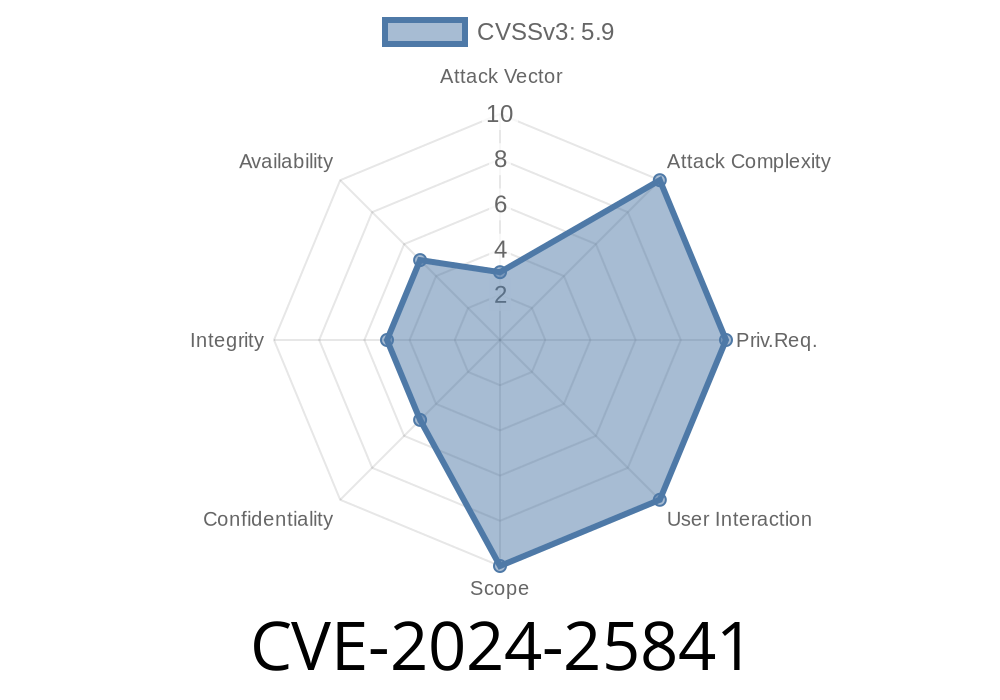
PrestaShop is a popular open-source eCommerce platform, and many websites use its plugin "So Flexibilite" (soflexibilite) module by Common-Services to manage payment installments and offers. Recently, security researchers discovered a vulnerability, CVE-2024-25841, that allows authenticated customers (any logged-in user) to inject and execute Cross Site Scripting (XSS) code in installations running a version earlier than 4.1.26 of this module.
In this post, we’ll break down what this vulnerability means, why it’s dangerous, show a real exploitation example, and share ways to patch and stay secure.
What is CVE-2024-25841?
CVE-2024-25841 is a Cross Site Scripting (XSS) flaw. It happens because "So Flexibilite" does not correctly filter or escape some user-supplied data, meaning an attacker can get JavaScript executed in another user’s browser. This is a big deal, because even if you only allow customers to log in, any one of them could attack other users (including admins).
How Does the Vulnerability Happen?
The module lets logged-in customers enter custom details—such as notes about their payment plans, delivery, etc. However, the developer failed to sanitize this input before displaying it back to users or admins in the control panel. That means HTML tags, and even scripts, get “reflected” back.
This kind of bug commonly looks like this in PHP code
// BAD: User input is printed without sanitization
echo $_POST['customer_note'];
A safe version should look like this
// GOOD: User input is encoded before printing
echo htmlspecialchars($_POST['customer_note'], ENT_QUOTES, 'UTF-8');
Exploiting CVE-2024-25841: A Simple Example
Let’s assume you are a regular customer who is logged in. There's a field (for example, "Notes" or some “Comment” box) powered by the "So Flexibilite" module. When you submit content, it shows up later in the order summary or admin backend. Here’s how an attacker abuses it.
1. Find the vulnerable field
Look for a comment or note field in payment options handled by "soflexibilite." This could be, for instance, at checkout or in a payment-related form.
In the vulnerable input, the attacker enters
<script>alert('XSS by attacker')</script>
3. Wait for Admin to View
When the admin (or another user) reviews the order or payment plan, BOOM—the script runs in their browser! This could also be used to steal cookies or session tokens.
Suppose the form POSTs to
/modules/soflexibilite/controllers/front/payment.php
The payload
POST /modules/soflexibilite/controllers/front/payment.php HTTP/1.1
Host: your-prestashop-site.com
Cookie: PHPSESSID=...; [customer cookie]
Content-Type: application/x-www-form-urlencoded

customer_note=<script>alert('XSS')</script>&otherfield=value
Now, in the admin backend or your order list (wherever this comment is displayed), the pop-up appears.
Update the module to version 4.1.26 or higher
Original References
- NVD Listing for CVE-2024-25841
- PrestaShop Marketplace Listing
- Common XSS Prevention (OWASP)
Summary
CVE-2024-25841 in the "So Flexibilite" PrestaShop module allows logged-in customers to inject JavaScript code, putting both customers and store admins at risk. If you’re using this module, patch RIGHT NOW by updating to v4.1.26 or above.
Stay safe, and always sanitize user input!
If you want a detailed code audit on your PrestaShop site or help with security monitoring, reach out to your system admin team or PrestaShop support.
Timeline
Published on: 02/27/2024 17:15:12 UTC
Last modified on: 11/21/2024 09:01:24 UTC