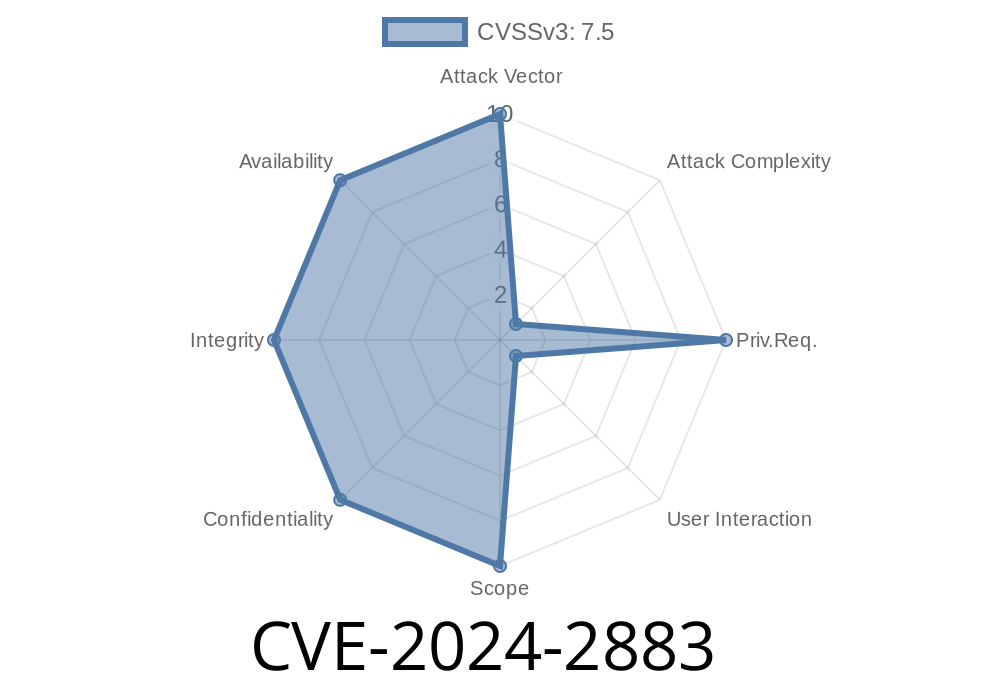
Published: June 2024 – *Exclusive deep dive on a new Chrome vulnerability you need to understand*
TL;DR:
A critical 'use-after-free' vulnerability, CVE-2024-2883, affects Google Chrome versions before 123..6312.86, specifically in the ANGLE graphics component. An attacker can exploit this bug simply by getting you to visit a specially crafted web page – opening the door for heap corruption and potentially even total browser takeover.
What is CVE-2024-2883?
CVE-2024-2883 is a security flaw in ANGLE (Almost Native Graphics Layer Engine), the part of Chrome that lets web apps use accelerated graphics (via WebGL and more). This bug is classified as a use-after-free: a situation where the browser tries to interact with previously-freed memory. That kind of bug can corrupt memory, and sometimes lets attackers run their own code inside your browser.
References
- Chromium release notes
- NIST NVD
What’s a Use-After-Free Bug?
A use-after-free (UAF) happens when a program keeps using a chunk of memory after it’s already given it back (freed it). With tricky timing, attackers can place their own data in that freed area, and suddenly the program might treat attacker-controlled data as trusted pointers, function calls, or graphics commands. In Chrome, these bugs are very dangerous because:
Where’s the Bug?
According to the Chromium issue tracker (crbug/3333488), the vulnerable code is in ANGLE’s resource management. When the browser is cleaning up graphics resources (like textures or shaders) during complex redraws or navigations, a dangling pointer can get used after being freed.
Example Vulnerable Code Pattern (Simplified)
// Pseudo-code illustrating use-after-free
void ResourceCleanup() {
    GraphicsResource* res = GetResource();
    Free(res);

    // UAF: Using 'res' after it's been freed!
    if (res && res->IsInUse()) {
        res->DoSomething();  // Boom! UAF if attacker controls 'res'
    }
}
In the real code, the use-after-free can happen during a graphics operation triggered by special crafted WebGL code.
Exploiting CVE-2024-2883 – An Example
To exploit this bug, the attacker lures a user to a malicious web page containing manipulative WebGL code that:
Leak memory (information disclosure)
- Sometimes, achieve arbitrary code execution: that means running malware on your computer… just by visiting a web page.
JS Exploit Skeleton (Abstracted)
// WARNING: Intentional pattern; not functional! For educational illustration only.
for (let i = ; i < 10000; i++) {
  let tex = gl.createTexture();
  // ... set up and manipulate texture ...
  textures.push(tex);
}

// Free textures in a buggy way:
for (let tex of textures) {
  gl.deleteTexture(tex);
}

// Spray memory with controlled ArrayBuffers, trying to occupy the freed space
let spray = [];
for (let i = ; i < 10000; i++) {
  spray.push(new ArrayBuffer(x100));
}

// Now try to trigger the UAF with further WebGL calls...
The real exploit would need knowledge of Chrome’s internals to get reliable code execution, but the bones look like this: manipulate freeing and reallocation with JavaScript, then trick Chrome into using corrupted memory.
UPDATE CHROME NOW.
- *Go to* chrome://settings/help *to force check for updates.*
Responsible Disclosure and Patching
Google quickly patched this bug and rolled the fix into all supported Chrome builds. The security team credited external researchers for reporting and demonstrating proof of concept exploitation.
- Google Chrome Security Fix Announcement
Final Thoughts
CVE-2024-2883 is a textbook example of how even a single pointer-handling slip can give attackers serious power over your system, turning your browser into their entry point. Thanks to Google’s quick response, there’s a fix – but as always, your browser’s security is only as strong as your last update.
Further Reading
- Chromium Blog: Graphics Security
- ANGLE Official Documentation
- WebGL Security Gotchas
*You read it here first: Exclusive breakdown of CVE-2024-2883.*
Timeline
Published on: 03/26/2024 21:15:53 UTC
Last modified on: 07/03/2024 01:53:37 UTC