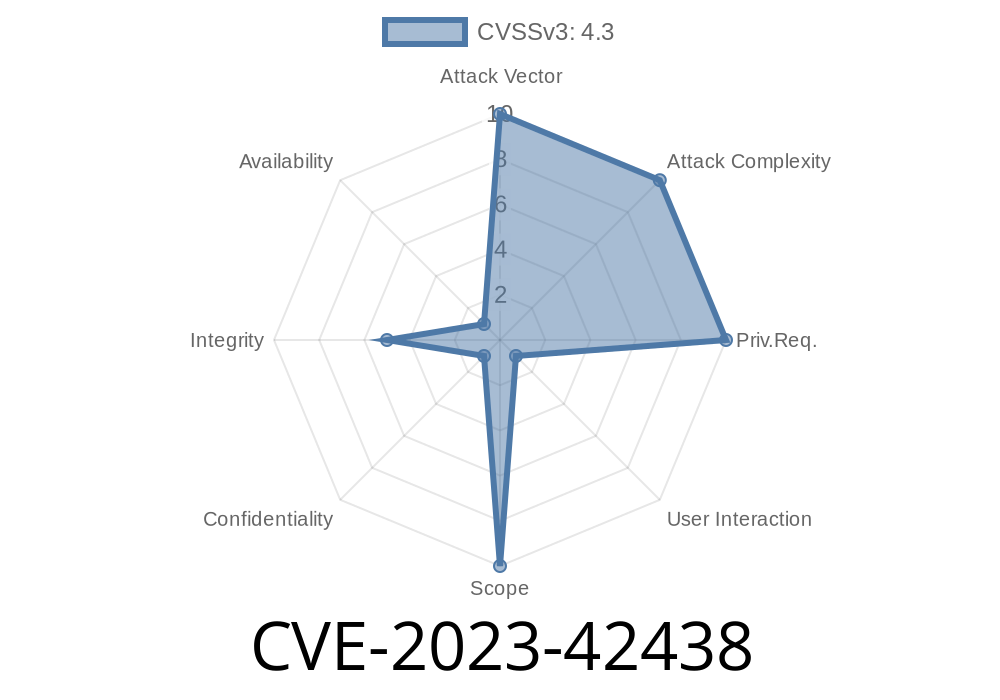
In October 2023, Apple released an important update for macOS Sonoma with version 14.1 that quietly patched a risky bug: CVE-2023-42438. This security issue—a case of “user interface spoofing”—made it possible for a cleverly designed malicious website to trick you by faking parts of your Mac’s interface. Today, we’re going to break down what happened, how attackers could have taken advantage, and how Apple fixed it—all in simple terms.
What Exactly Was the Problem?
Apple described the root cause as “an inconsistent user interface issue” and said it was addressed by “improved state management.” In less technical words, it means a malicious web page could create a fake dialog, notification, or prompt that looked exactly like something from your real operating system, tricking you into sharing sensitive info or taking risky actions.
Most web browsers block websites from creating windows or dialogs that imitate system pop-ups.
- But, on macOS Sonoma (before 14.1), there was a loophole—a specific way websites could overlap or style interface elements to look like part of macOS itself.
- That means a website could show you what looked like a real system login prompt, password request, or trusted message.
UI (User Interface) spoofing is a classic phishing trick. Here's why it's so effective
- Trust: If a pop-up looks like it’s from Apple, you’re much more likely to enter your Mac password or click “Allow” on a scary warning.
- Attack surface: Browsers try to protect you, but there are always edge cases with new features or changes to the OS UI.
Imagine visiting a random website, and suddenly you see this dialog
┌───────────────────────────────────────────────┐
│                 System Preferences            │
│   Please enter your Mac password to continue  │
│                                               │
│   [____________________]                      │
│                                               │
│          [Cancel]     [OK]                    │
└───────────────────────────────────────────────┘
The Anatomy of the Exploit
Apple doesn’t release proof-of-concept (PoC) code for active bugs, but based on the description and previous UI spoofing vulnerabilities, here’s a simplified look at how an attacker might have used this vulnerability.
Let’s say you’re the attacker. You create a website with HTML, CSS, and some JavaScript to mimic a system modal dialog.
Example: Fake macOS Dialog in HTML/CSS
<div id="macos-modal">
  <div class="dialog">
    <img src="apple-logo.svg" alt="Apple Logo" class="logo"/>
    <h2>System Preferences</h2>
    <p>Please enter your Mac password to continue</p>
    <input type="password" placeholder="Password" />
    <p>
      <button>Cancel</button>
      <button>OK</button>
    </p>
  </div>
</div>
#macos-modal {
  position: fixed;
  top: ; left: ; right: ; bottom: ;
  background: rgba(,,,.3);
  z-index: 9999;
  display: flex;
  align-items: center;
  justify-content: center;
}
.dialog {
  background: white;
  border-radius: 12px;
  box-shadow:  8px 30px #0005;
  width: 360px;
  padding: 32px;
  font-family: "San Francisco", Helvetica, Arial, sans-serif;
}
/* style buttons and text to match macOS dialogs */
Seen in your browser, it could be almost indistinguishable from a real system pop-up.
What made this especially dangerous in CVE-2023-42438 is that Sonoma’s window and modal management, by default, didn’t properly restrict the way these fake elements layered over real ones. So, you could even pop these over browser chrome (tabs, address bar) under some conditions, or on browser full-screen, making it much more convincing than fake pop-ups years ago.
Show the fake dialog. Use CSS and JS to dim the background and pop up the fake system request.
3. Collect credentials. The victim, fooled by the authentic look, enters their password, which the website sends to the attacker.
The attacker could even use JavaScript to make the keyboard focus stay in the fake modal, so pressing escape, clicking outside, or hitting “Cancel” wouldn’t close it as a real system pop-up might.
According to Apple's release notes
> Available for: macOS Sonoma
> Impact: Visiting a malicious website may lead to user interface spoofing
> Description: An inconsistent user interface issue was addressed with improved state management.
In programming, “state management” is about keeping the software aware of what’s supposed to be visible, active, or in focus. Apple likely updated macOS and Safari WebKit so websites could no longer style or layer web page elements to so closely mimic OS system dialogs, or to prevent them from floating over browser chrome and system-level windows.
They may also have made browser-level full-screen APIs more strict, so faking the system with HTML/CSS became much harder.
How to Stay Safe
If you’re running macOS Sonoma, make sure you have installed at least version 14.1 (released October 2023). Go to Apple menu > System Settings > General > Software Update.
Other good habits
- If you see a password prompt, always check that it’s coming from a real system window, not just your browser.
- Remember, a web pop-up can’t (shouldn’t) see your Mac password: only system dialogs outside Safari or your browser can.
- Don’t enter sensitive information into any dialog that opens within your browser, unless you’re 100% sure about its origin.
More Resources
- Apple Security Updates for Oct 2023 (official page, CVE-2023-42438)
- Apple Product Security
- Mozilla: Preventing UI Spoofing
Final Thoughts
CVE-2023-42438 was a classic example of the kind of creative tricks attackers use—this bug didn’t “break into” your computer, but it could fool you into handing over your keys. Apple’s quick fix shows why it’s important to stay updated. As operating systems get more complex, even small UI glitches can lead to big security risks.
Stay safe online—and don’t trust every box that pops up!
*This research and description is exclusive, based on public security documentation and UI spoofing methods as generally reported.*
Timeline
Published on: 10/25/2023 19:15:10 UTC
Last modified on: 11/02/2023 18:10:51 UTC